Modern Handling. For your Pilots. For your Customers. For you. Private Flyer
Free Beta · Private Flyer 2026

Hands-free live status tech log.
Because pilots don't want to fill the papers. They want to fly.

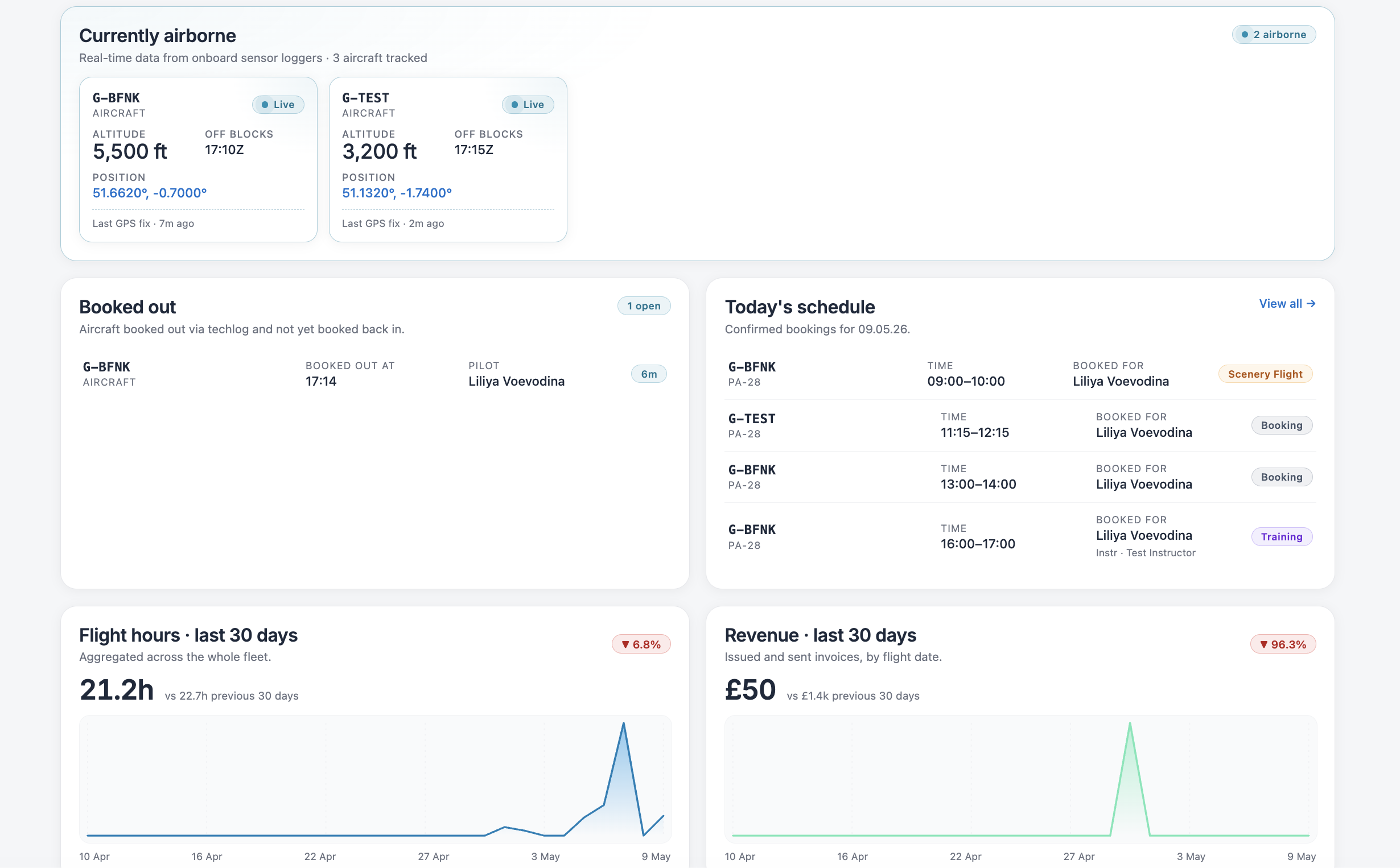
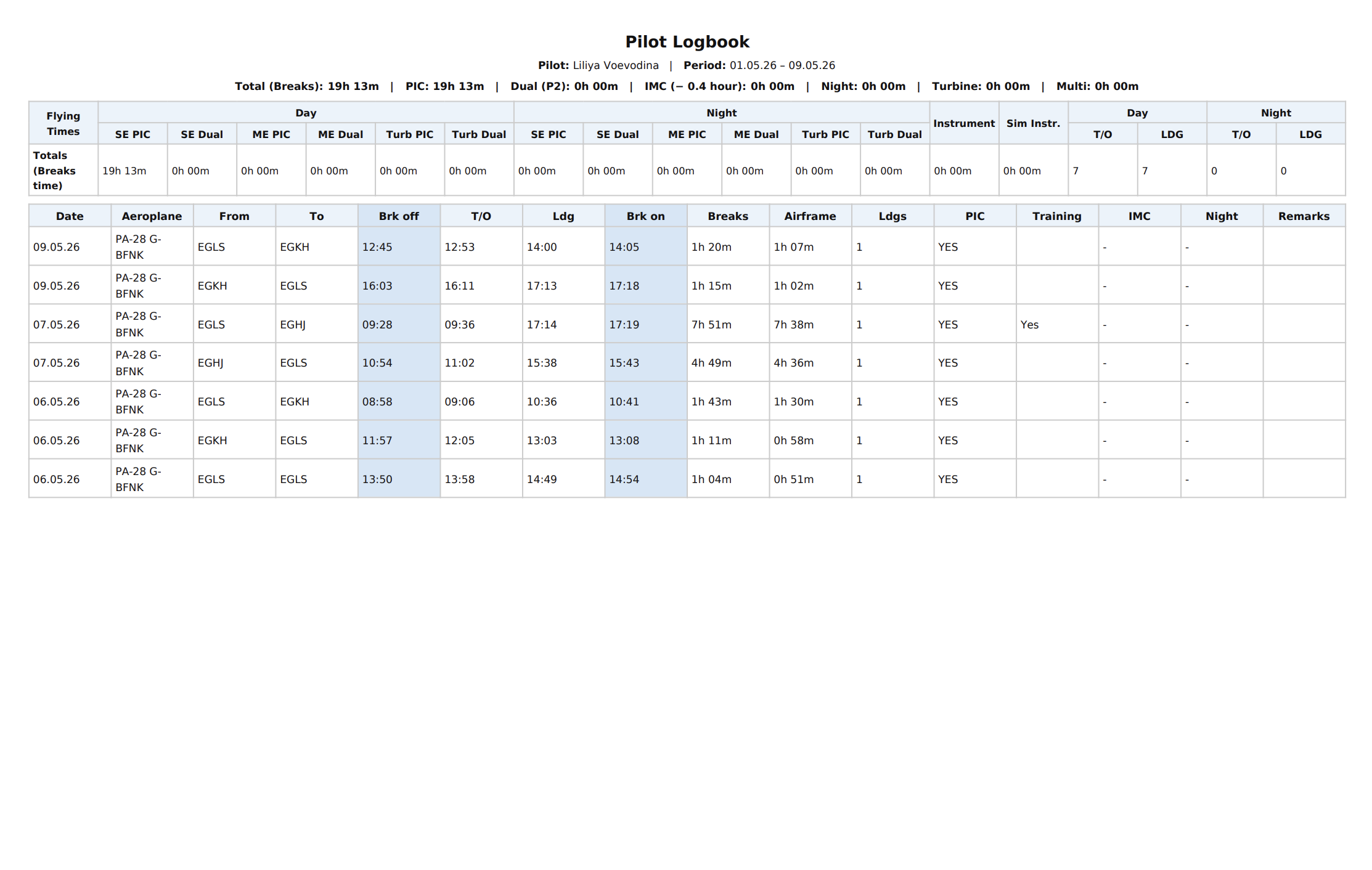
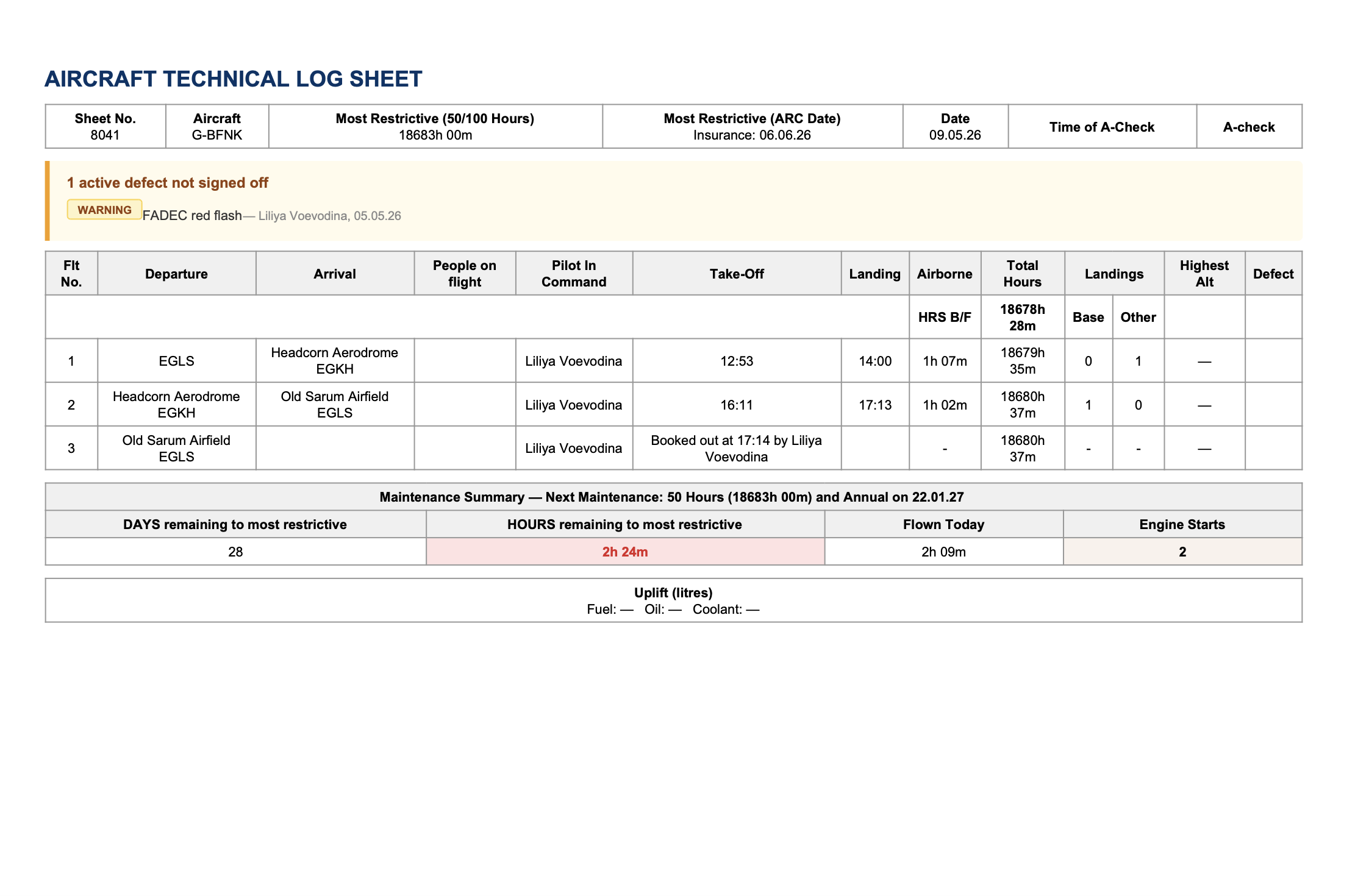
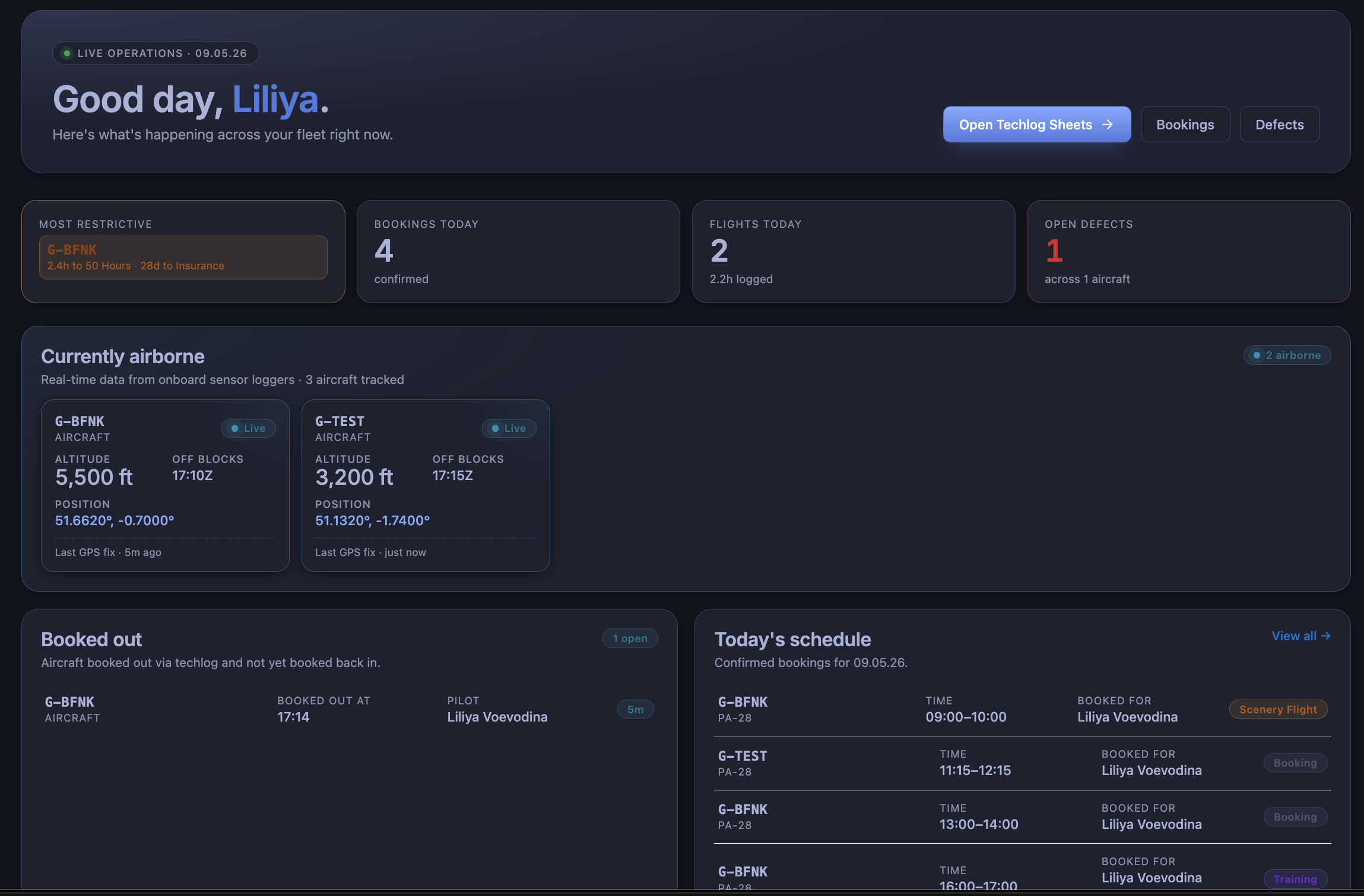
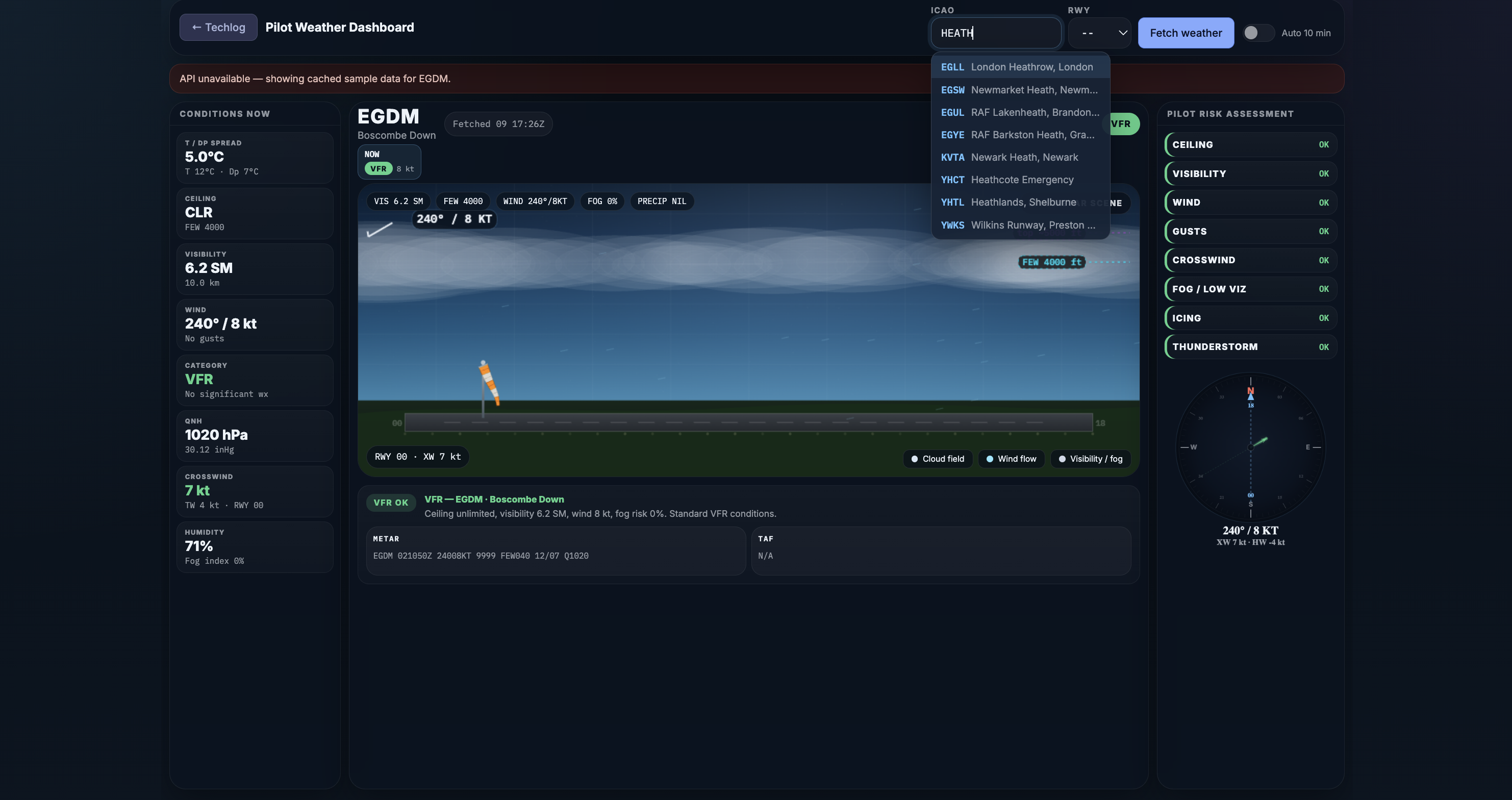
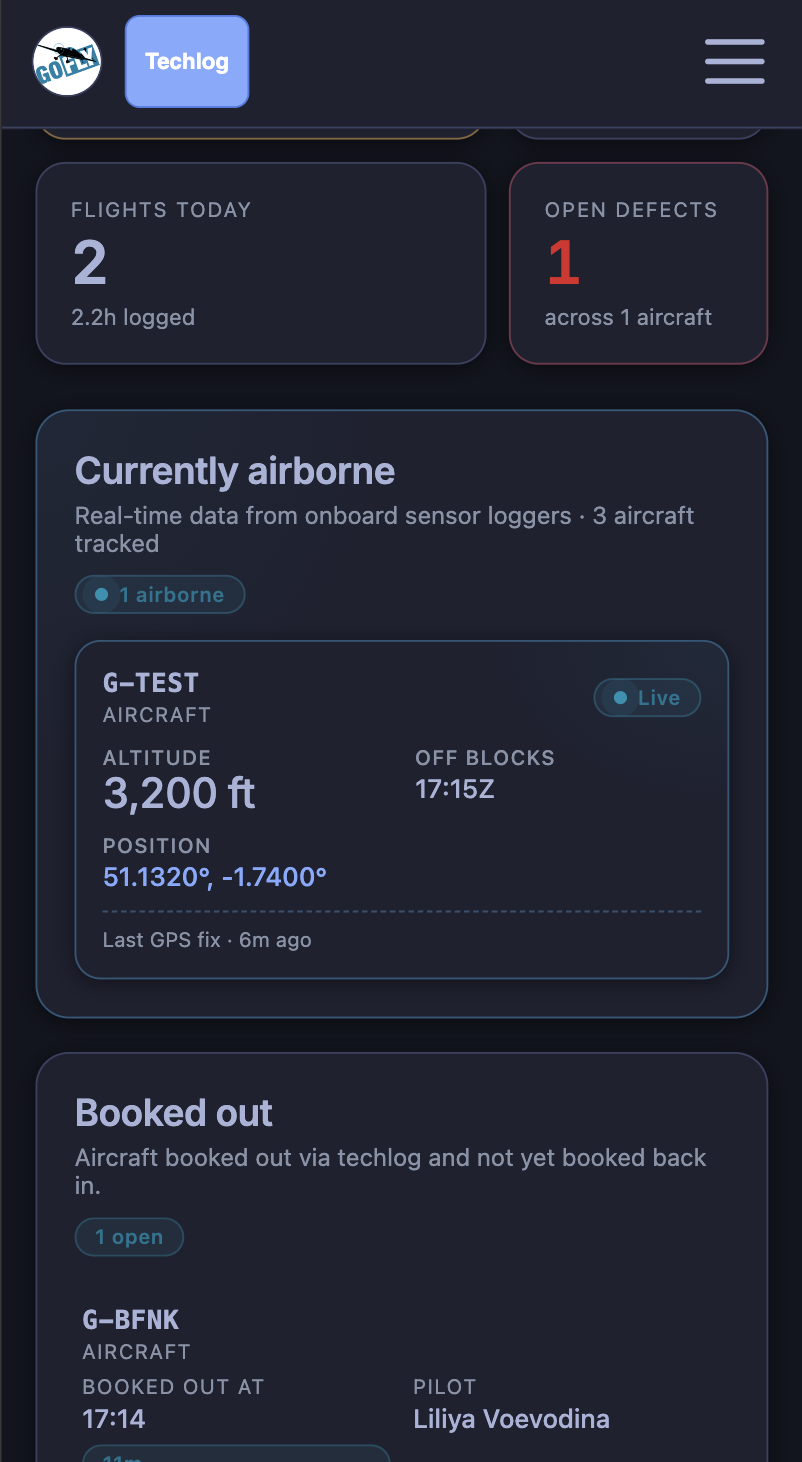
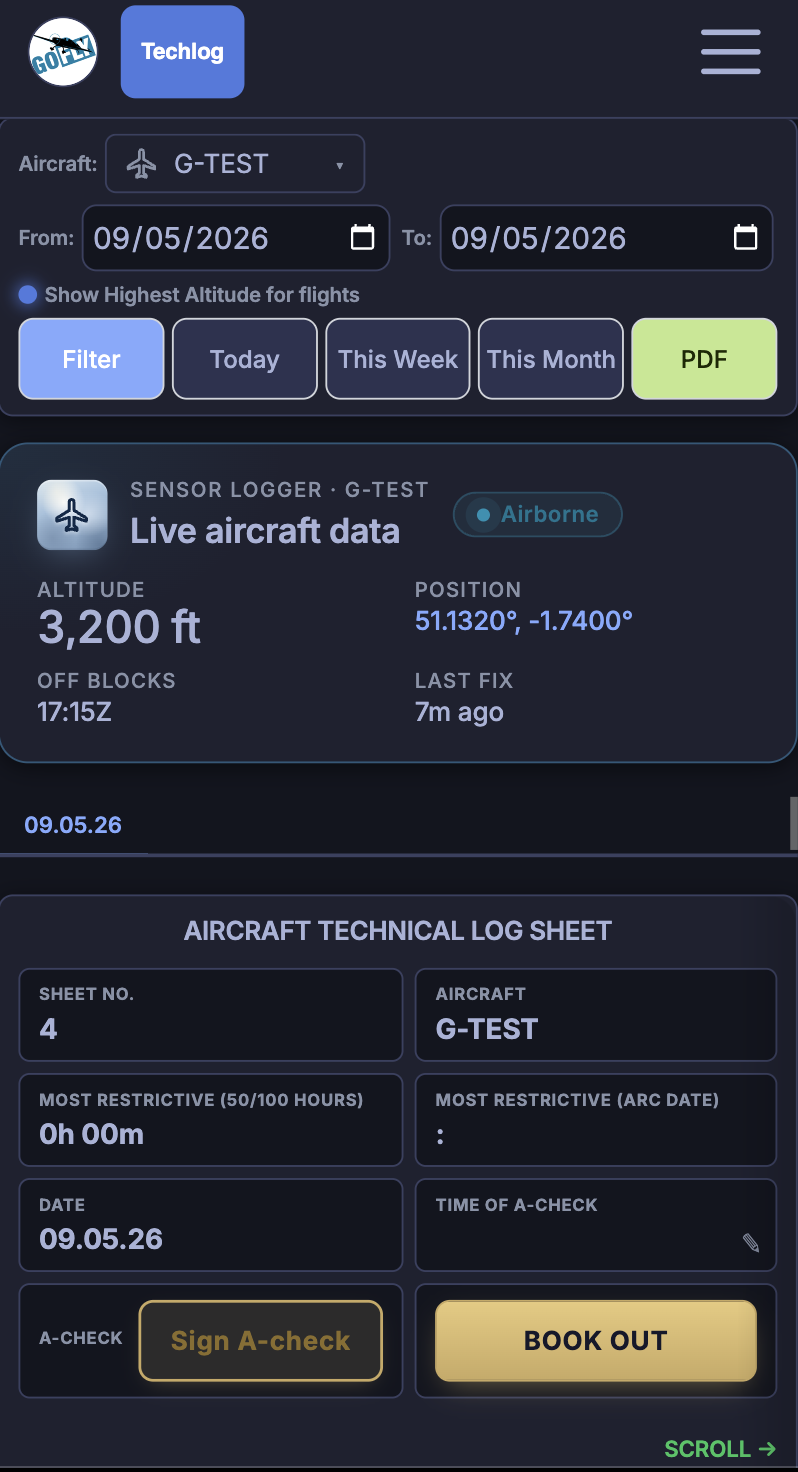
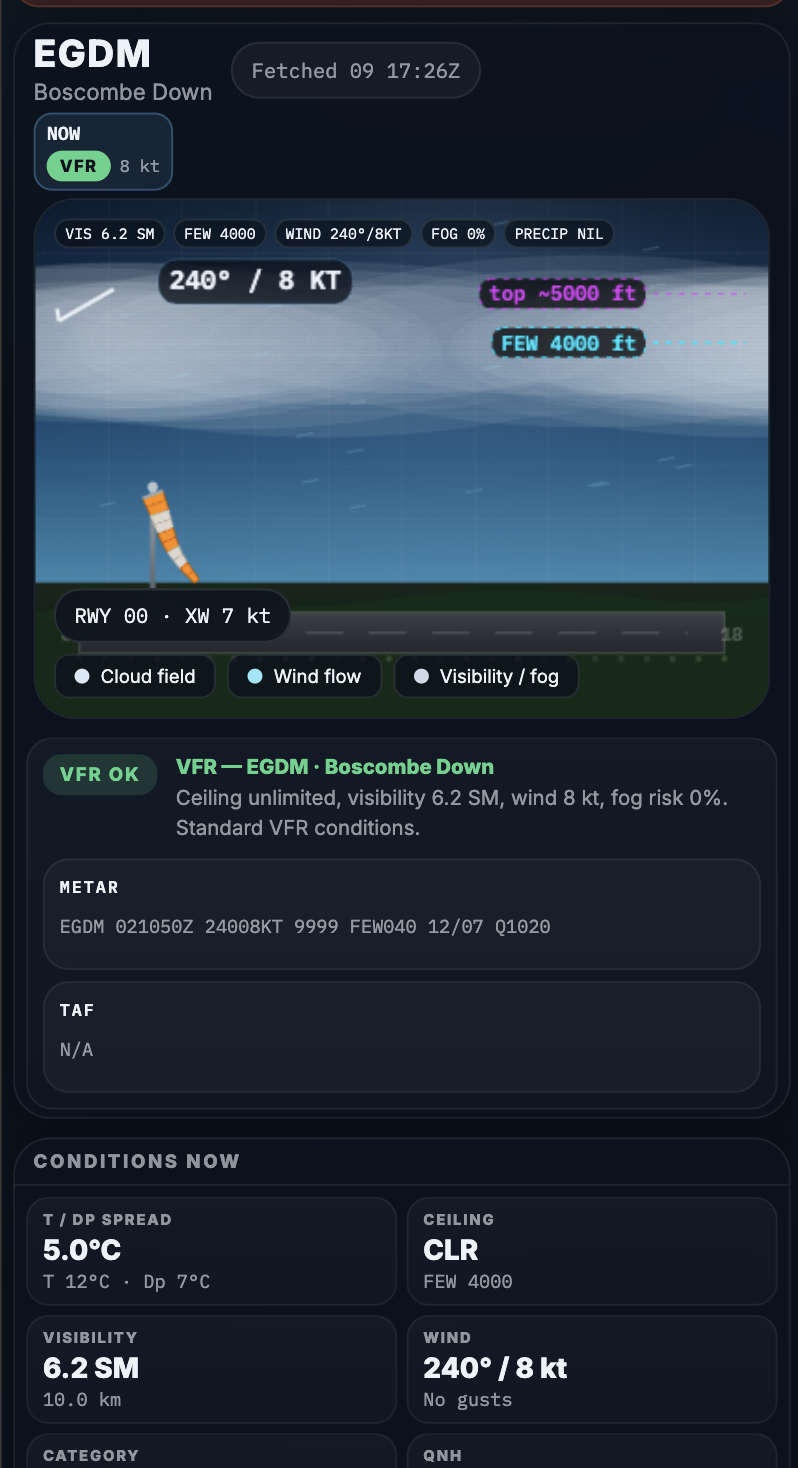
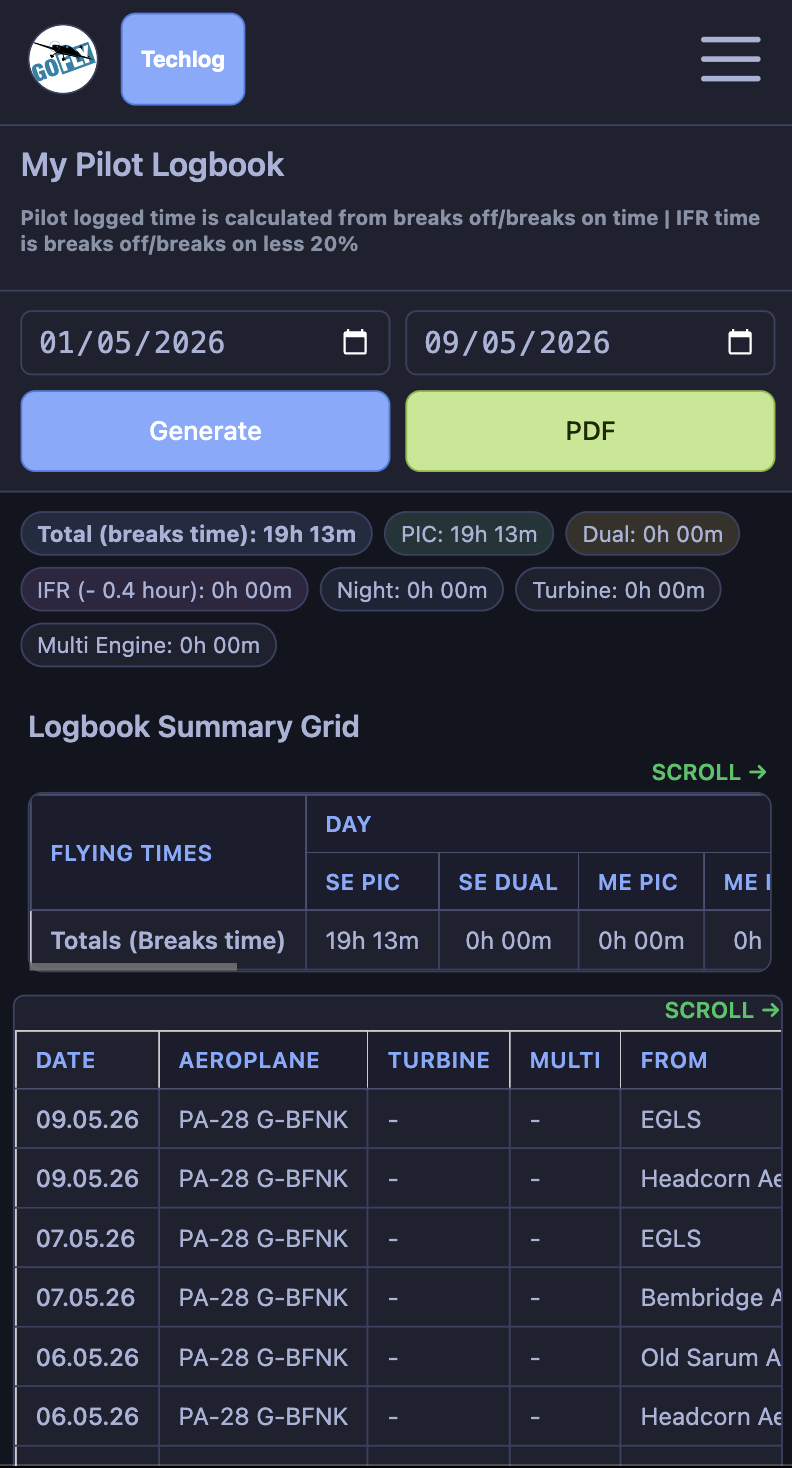
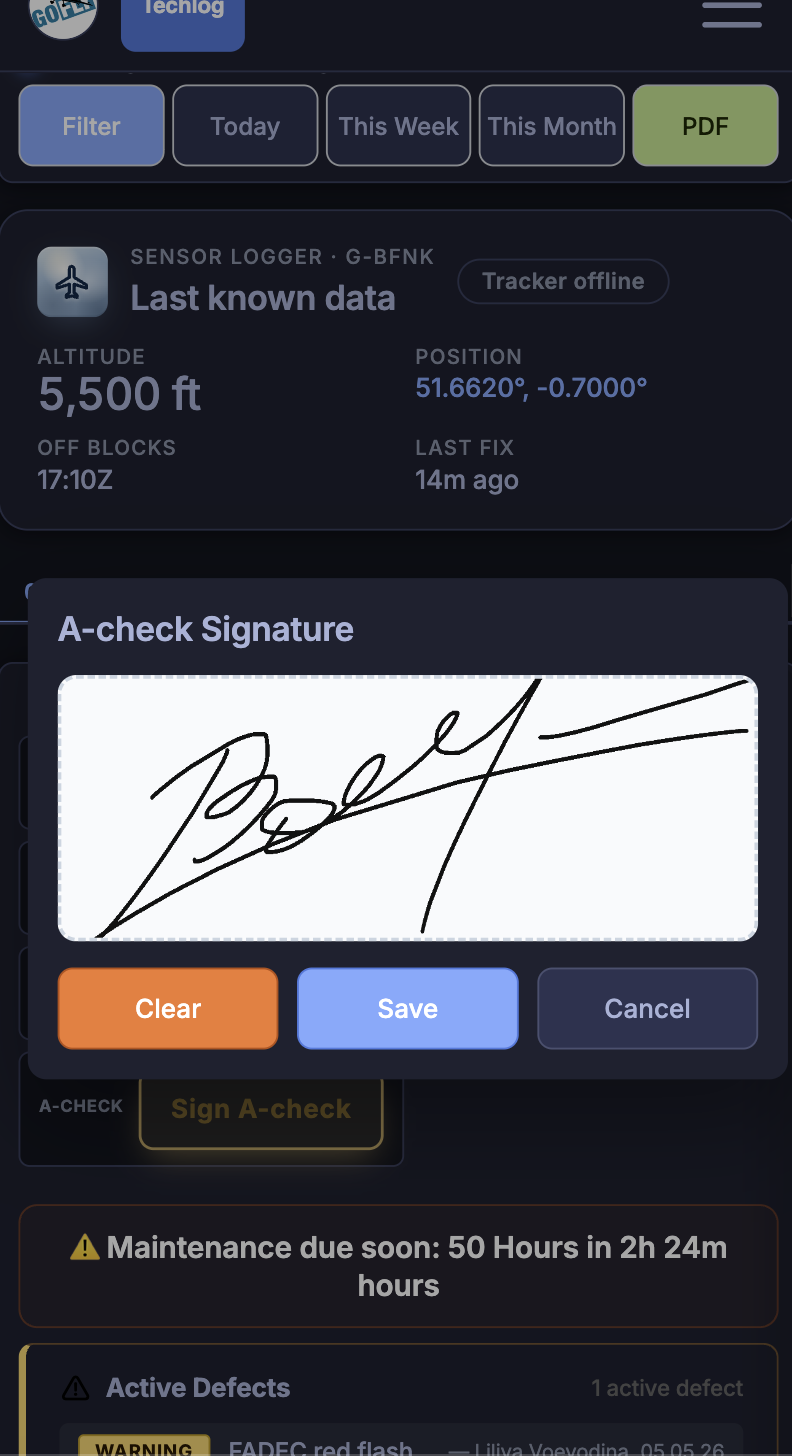
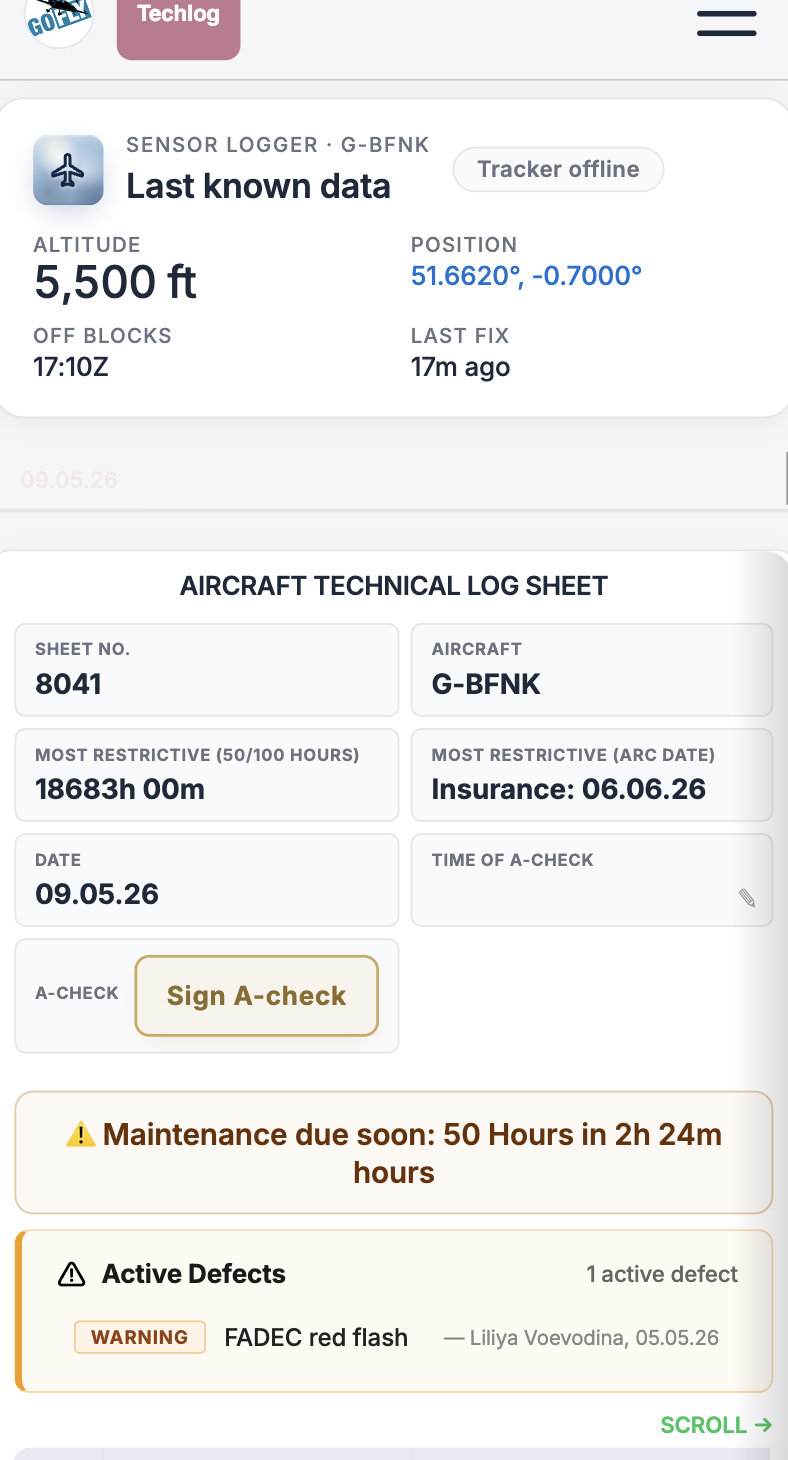
A FLOG app lives in your aircraft and uses GPS and sensors data while you fly. Dashboard shows the live updates for airborne aircrafts. Control panel turns the data into flight records, reports and the visibility your team needs.

Explore A FLOG Control Panel

Not a video or mockup — this opens a live demo organisation inside the real Control Panel. Same app, real screens, sample data you can click through.

In partnership with
Beta program

We’re not selling. We want people who’ll enjoy using it while they help us make it better.

Beta access is free. Honest feedback is what we want. Bring your operation, fly with it, and tell us what works and what doesn’t.

  • No sales pressure. We want to learn from real pilots, not chase a sale.
  • You shape it. Feedback goes straight to the people writing the code, usually within a week.
  • If it annoys you, it annoys us. Tell us. We’ll fix it.
Android app · 3-step setup

See how the app works.

A FLOG App detects the power, engine starts, take off and landing and collects samples every 2 seconds.

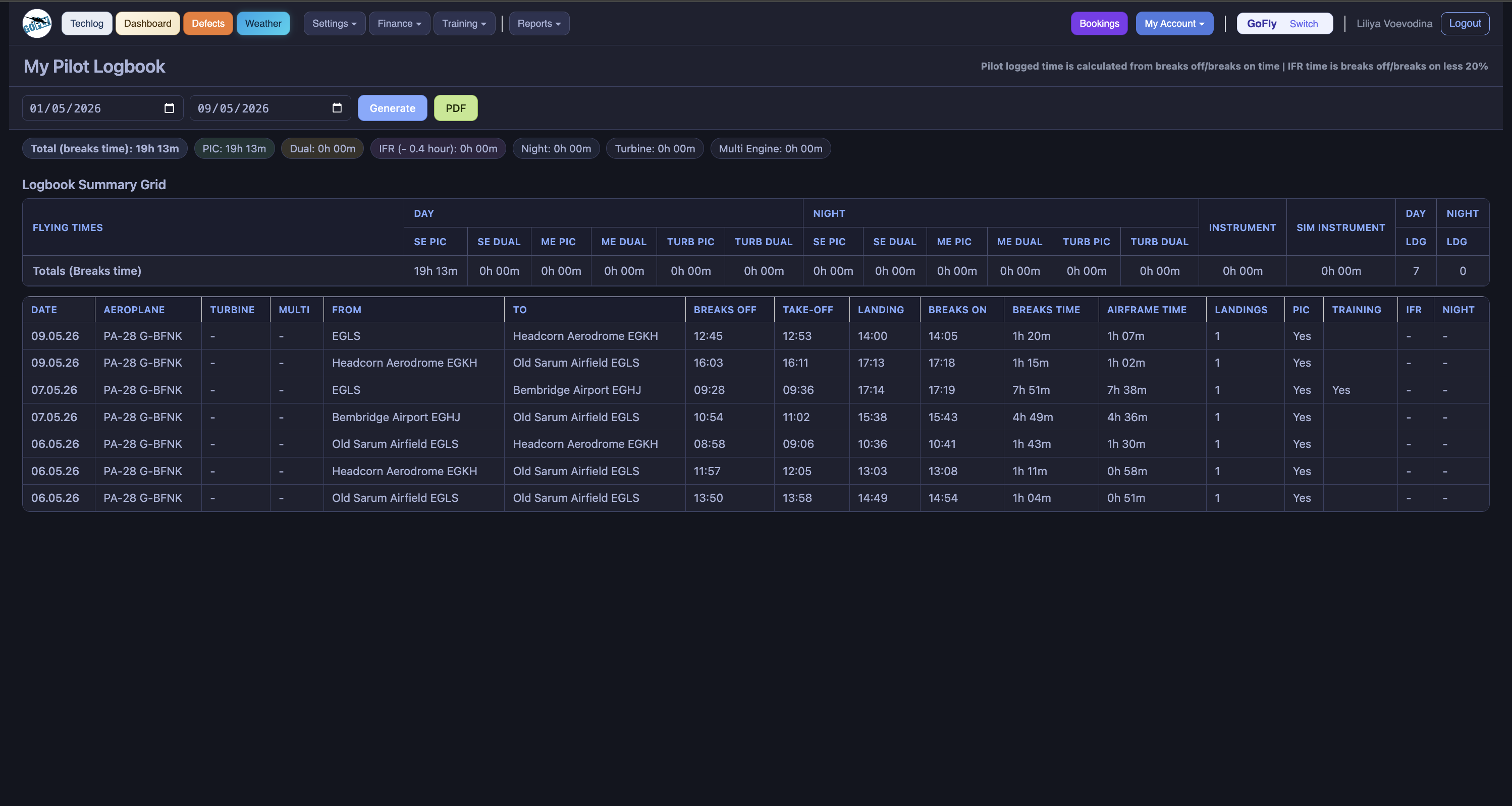
Control Panels shows live status and position of the aircraft on each sample. When flight is complete - it is in the correct tech log sheet.

Three short clips - that’s the whole onboarding. Add your aircraft, calibrate the sensors, then check the link to your control panel.

Add your aircraft

Register the aircraft on your phone in under a minute.

Calibrate engine-start sensors

Vibration and noise thresholds tuned per aircraft so take-off and landing detect cleanly.

Test the link to your control panel

Use the developers zone to verify the connection (Beta-testing version only).

Built in · What’s next

AI is already inside. More automation on the way.

The AI features below are live in the Control Panel today.

Live now · AI & automation inside the Control Panel

AI

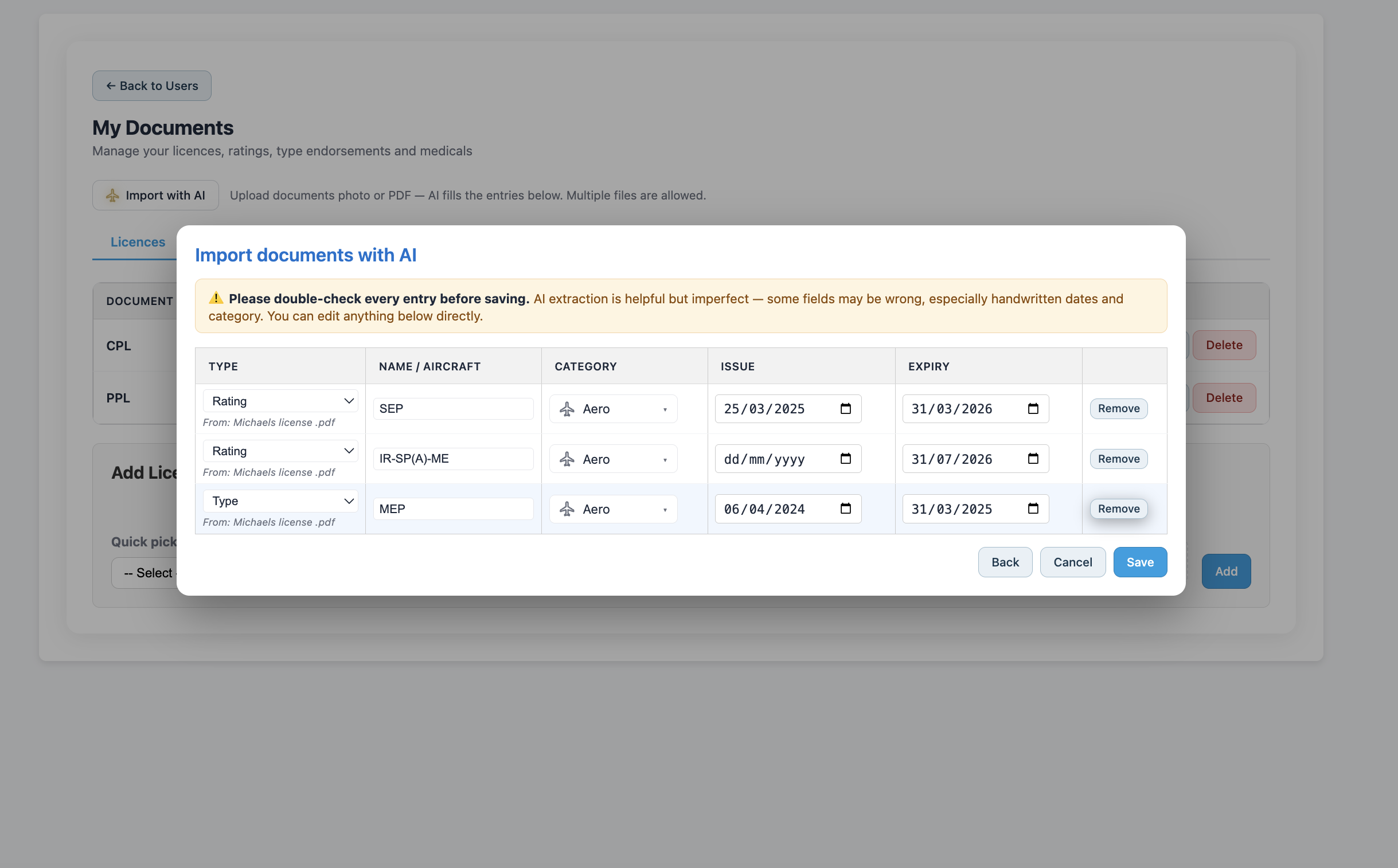
Pilot documents, sorted automatically

Upload a pilot’s documents - the integrated AI separates licences, ratings and medicals, reads each one and applies the right expiry dates.

AI

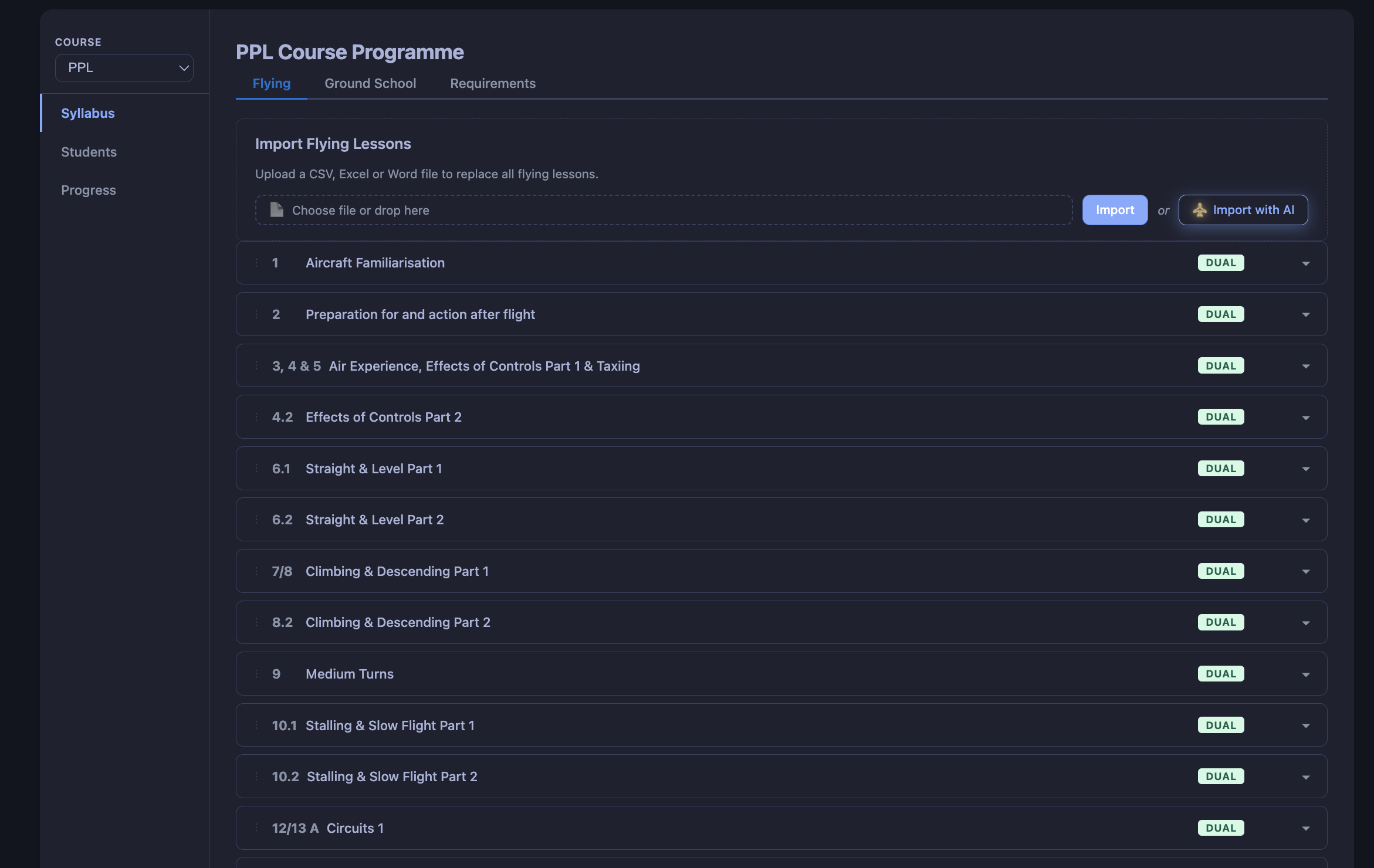
Syllabus → full course

Upload a training syllabus as a PDF, or even a screenshot. The Control Panel builds the full course for you: lessons, exercises, sign-offs.

AI

Speak your lesson notes

After the flight, don’t type, speak. The instructor dictates lesson notes and they land straight in the lesson as clean text.

Auto

Airfield auto-detection

Departure and destination airfields identified directly from the flight coordinates, any airfield, no manual entry.

Coming soon

Automated vouchers handling

Issue, redeem and reconcile flight vouchers without leaving the Control Panel.

Trainee & staff-pilot bonding

Track training contracts, repayment obligations and bonding periods automatically alongside the pilot record.

Flight data sources

Pick the source that fits the aircraft.

The Control Panel works with more than one logger — choose what fits each aircraft and the platform handles the rest.

A FLOG Android App

Our own onboard logger. The phone or tablet sits in the aircraft, captures GPS and engine-start sensor data, and uploads after the flight.

CloudBase GA Autologger

Native integration with the GPS autologger from CloudBase GA. If your aircraft already has the device on board, flights flow straight in.

Either source just works with the Control Panel - all you need to do is set the data source in your Aircraft Settings.

Inside the platform

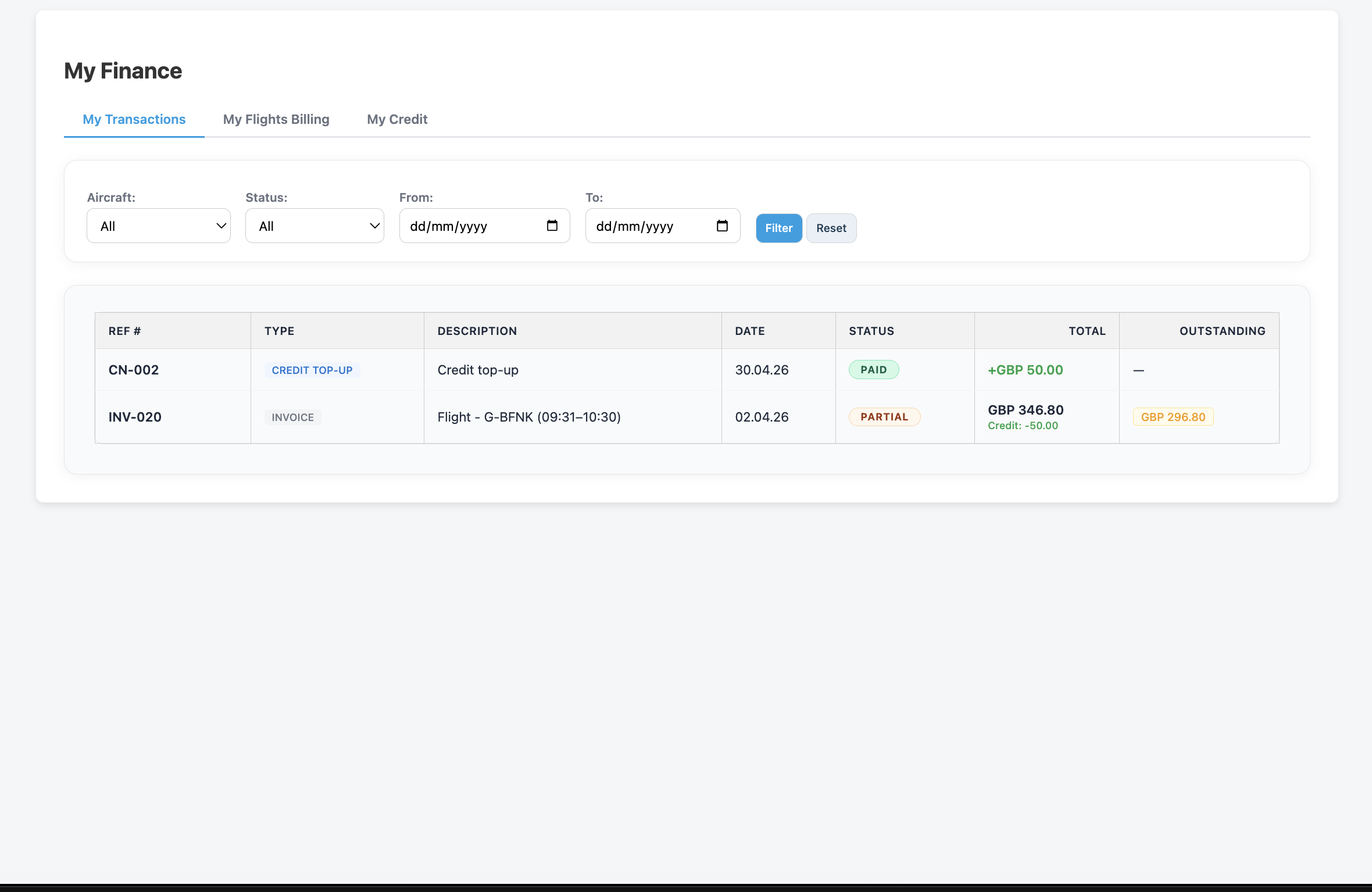
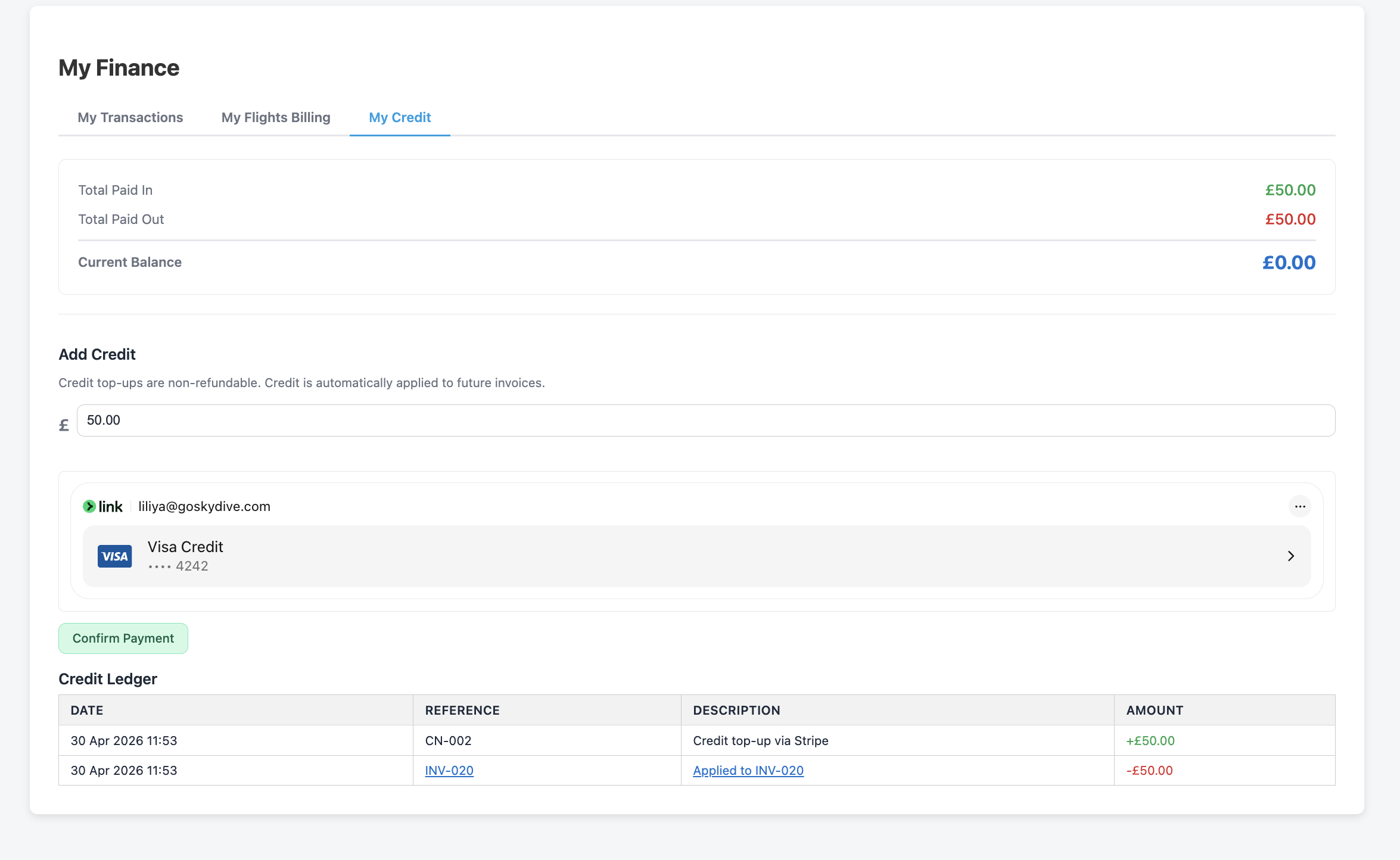
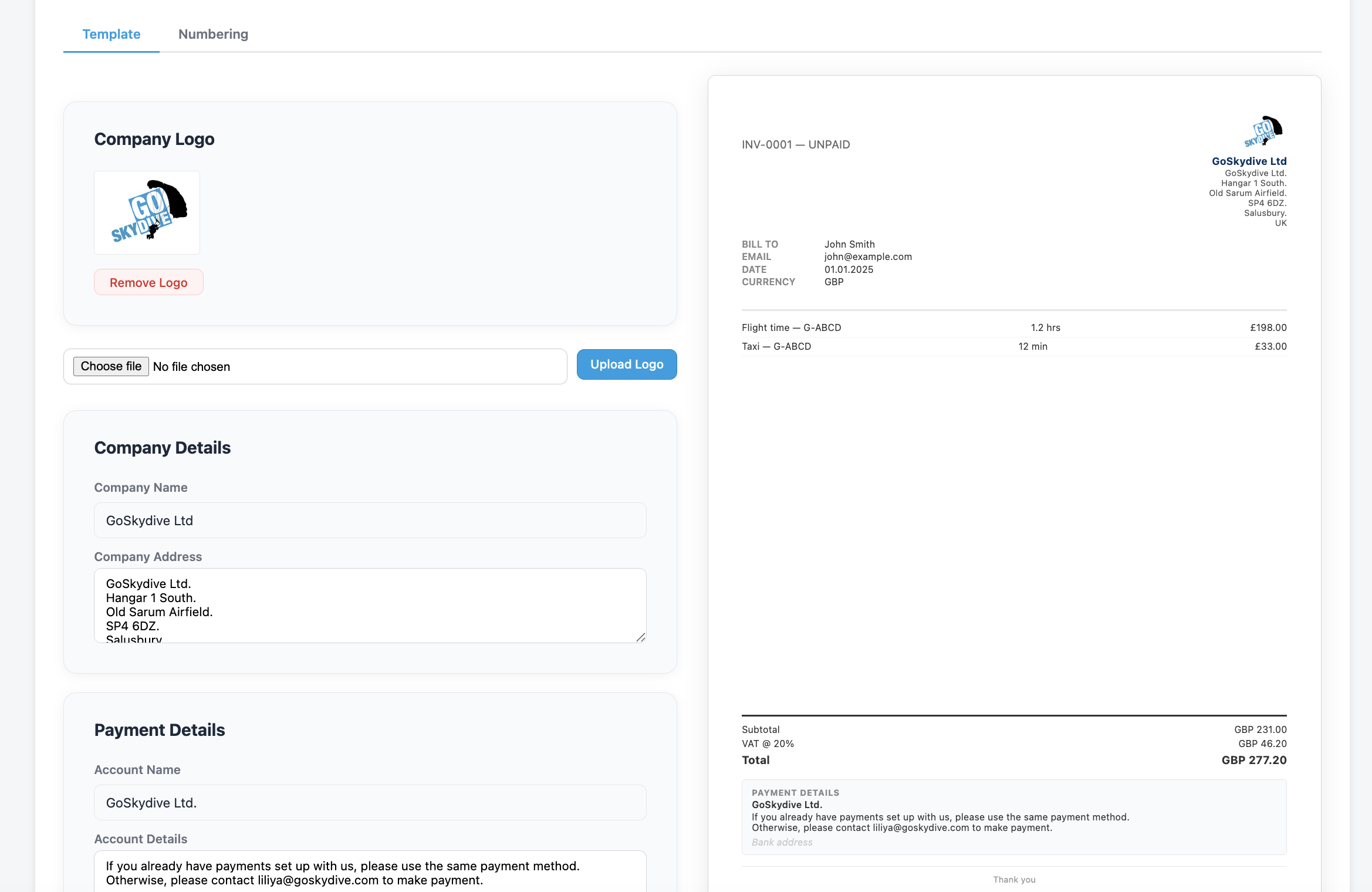
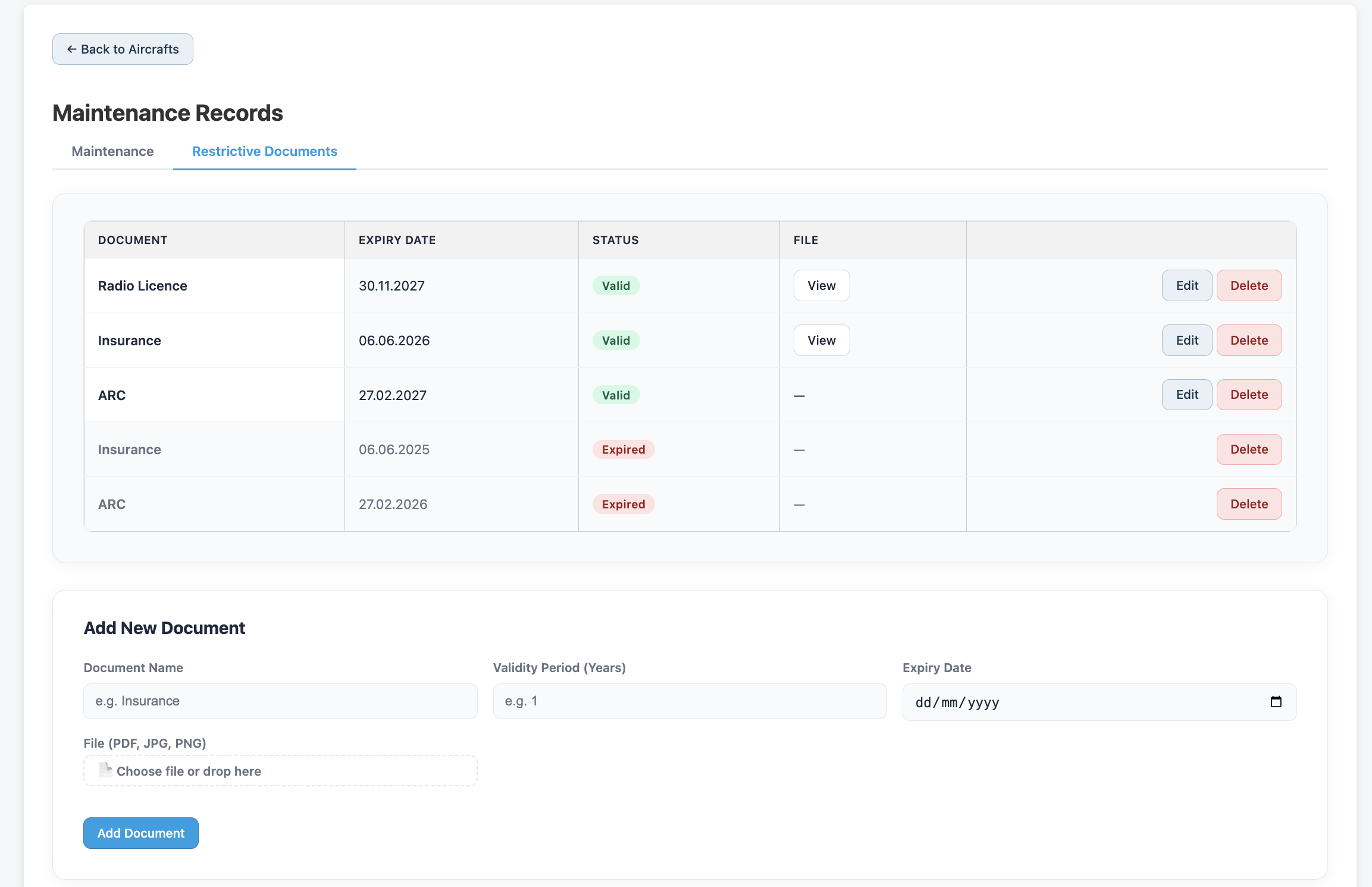
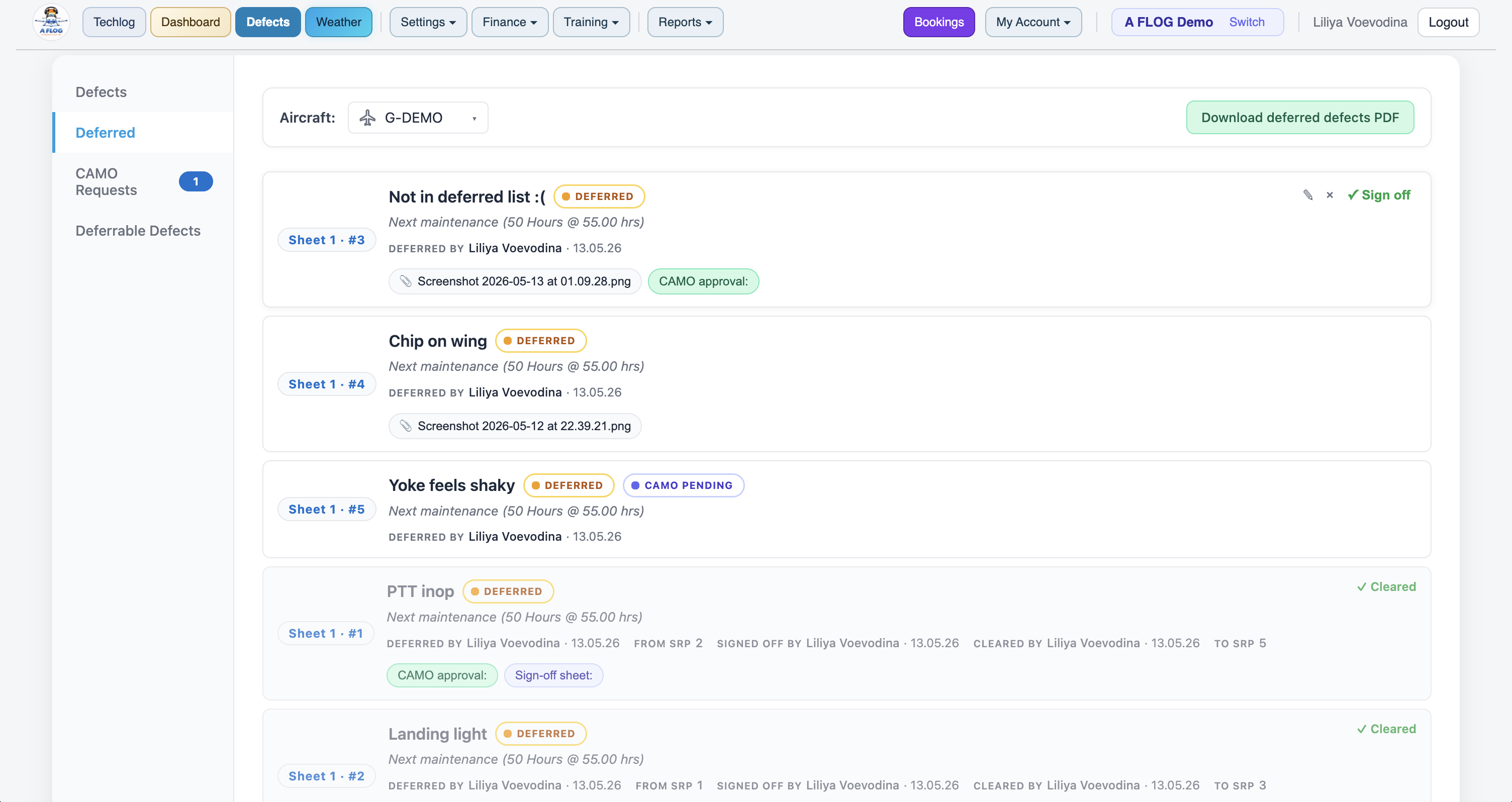
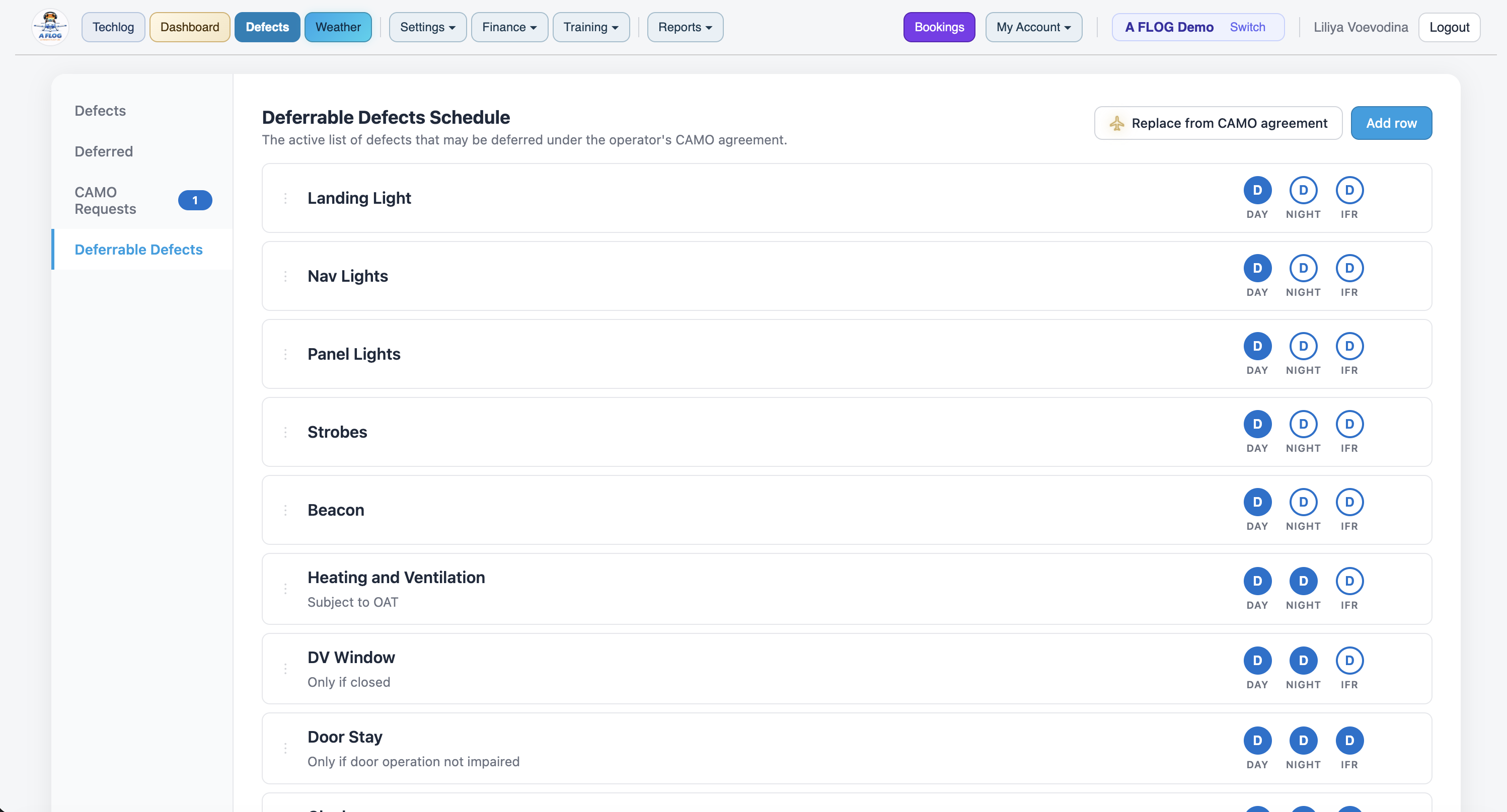
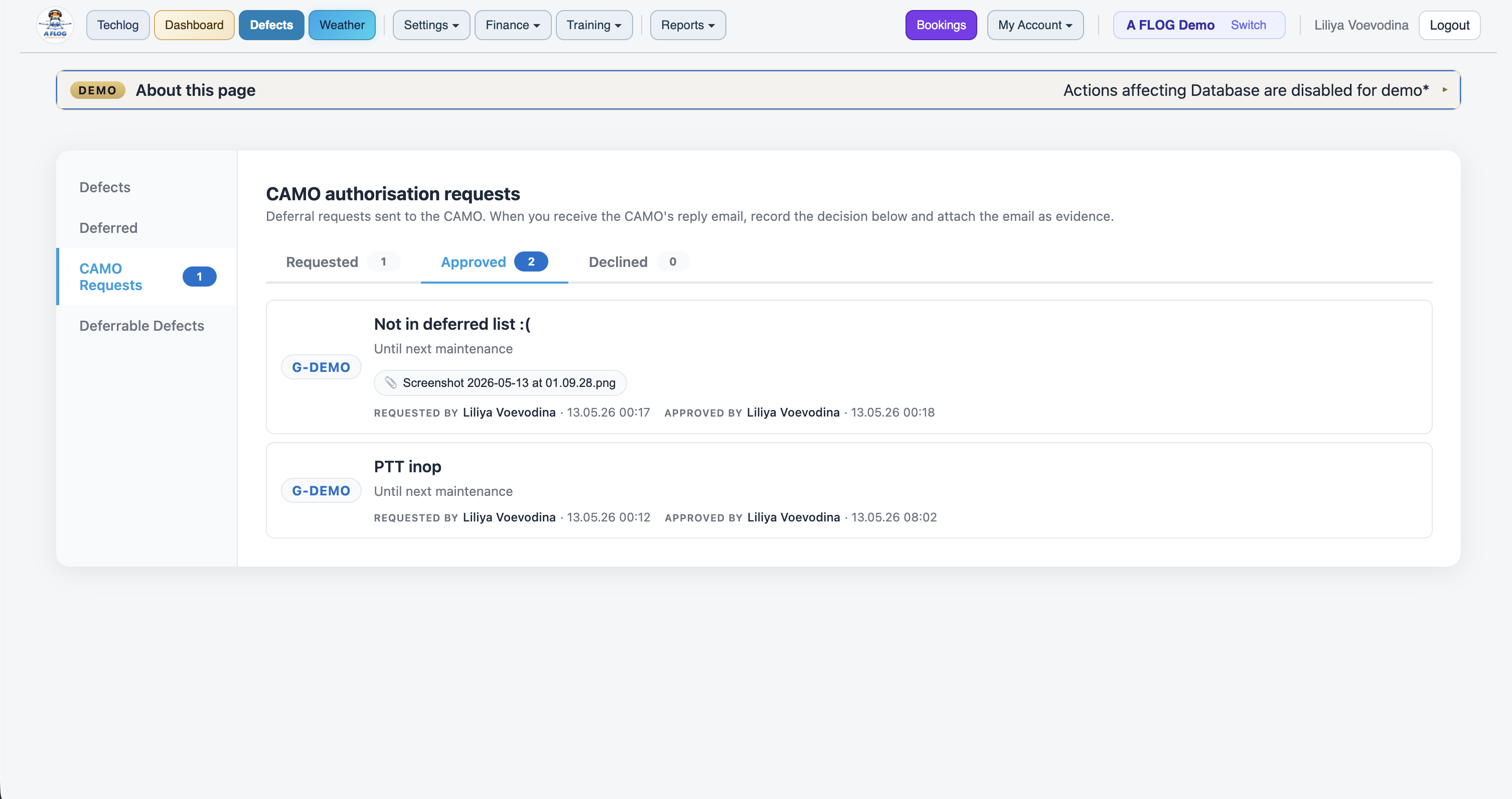
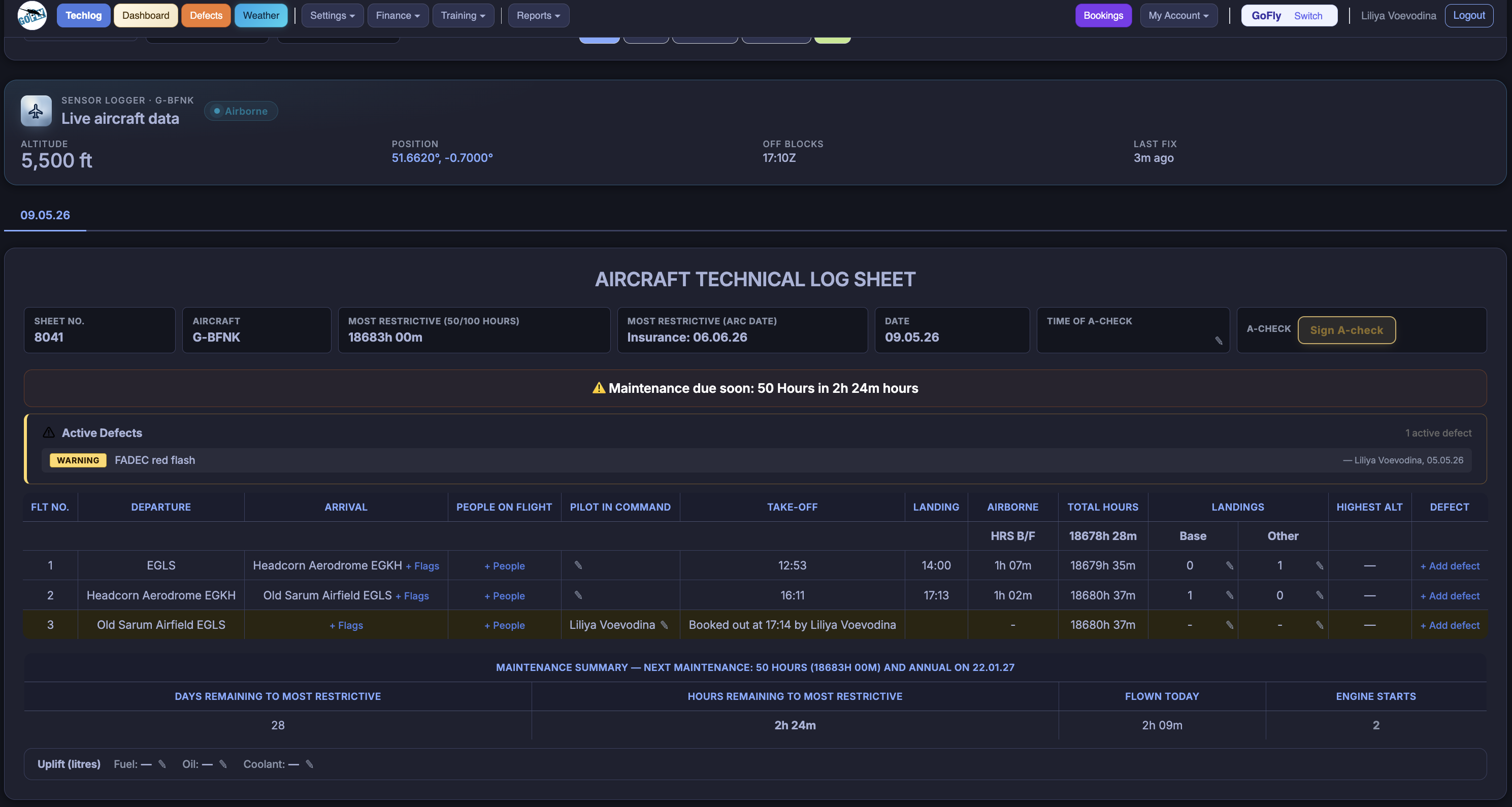
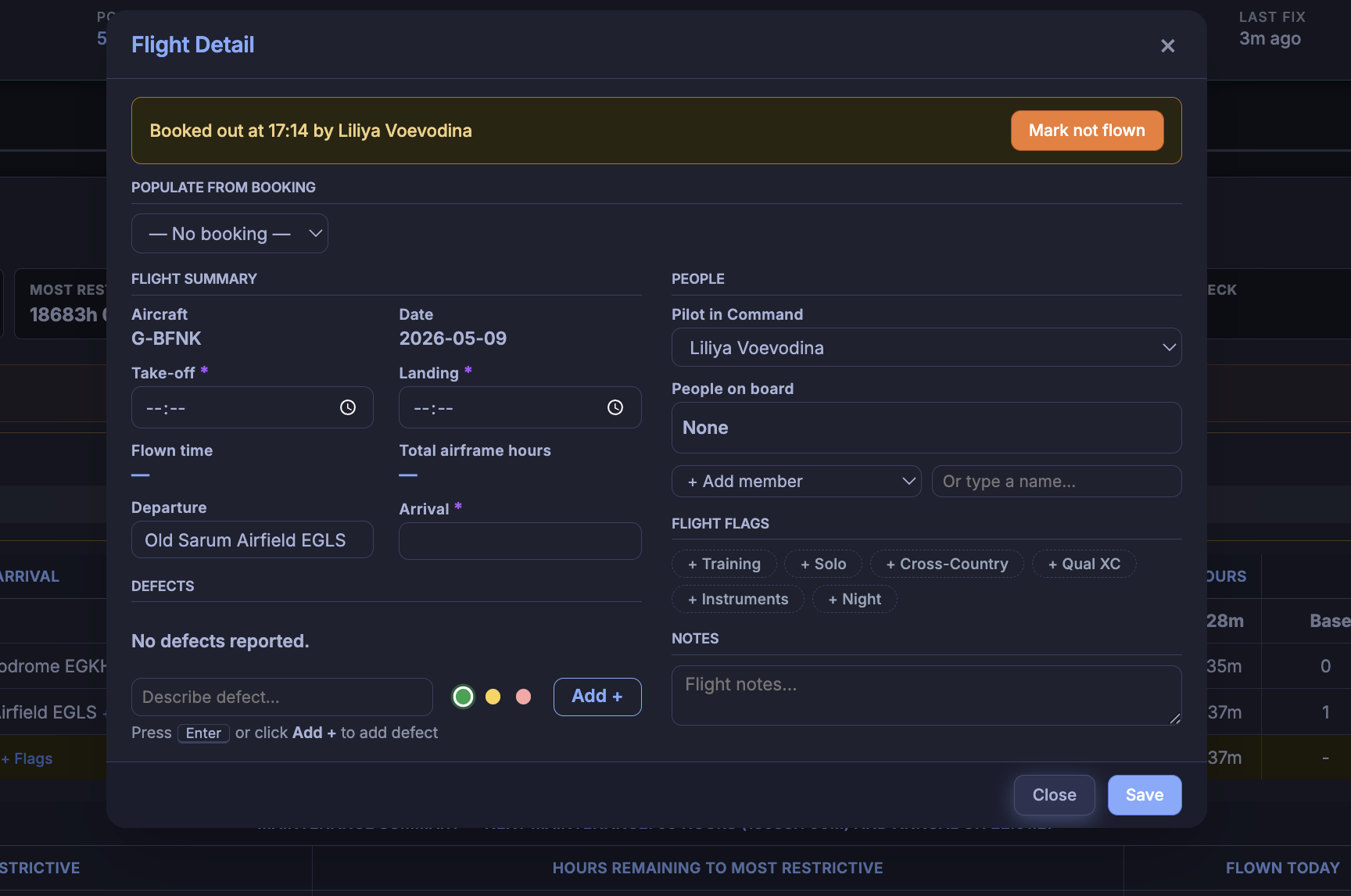
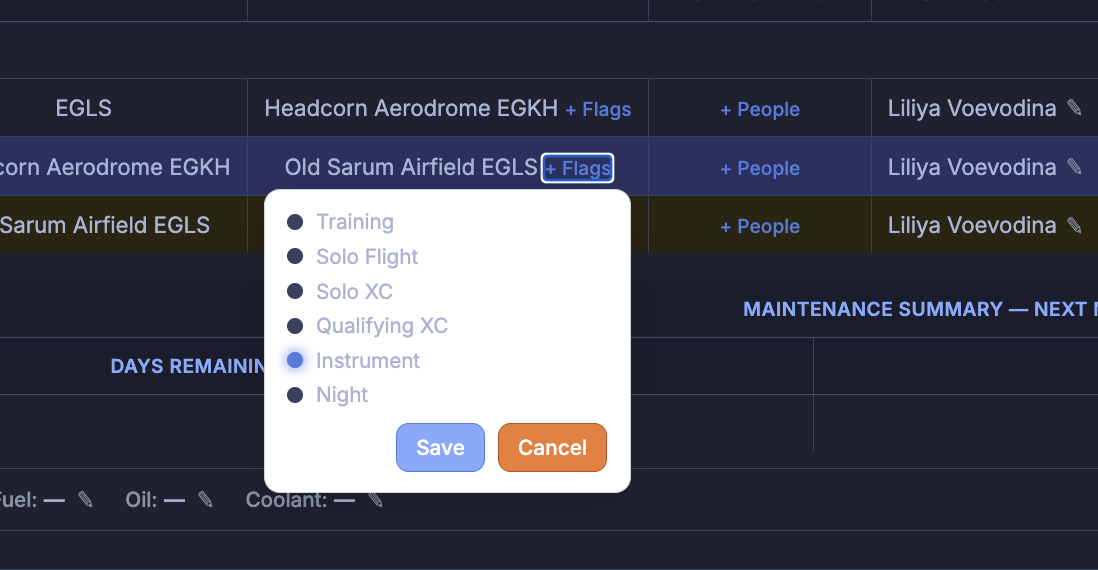
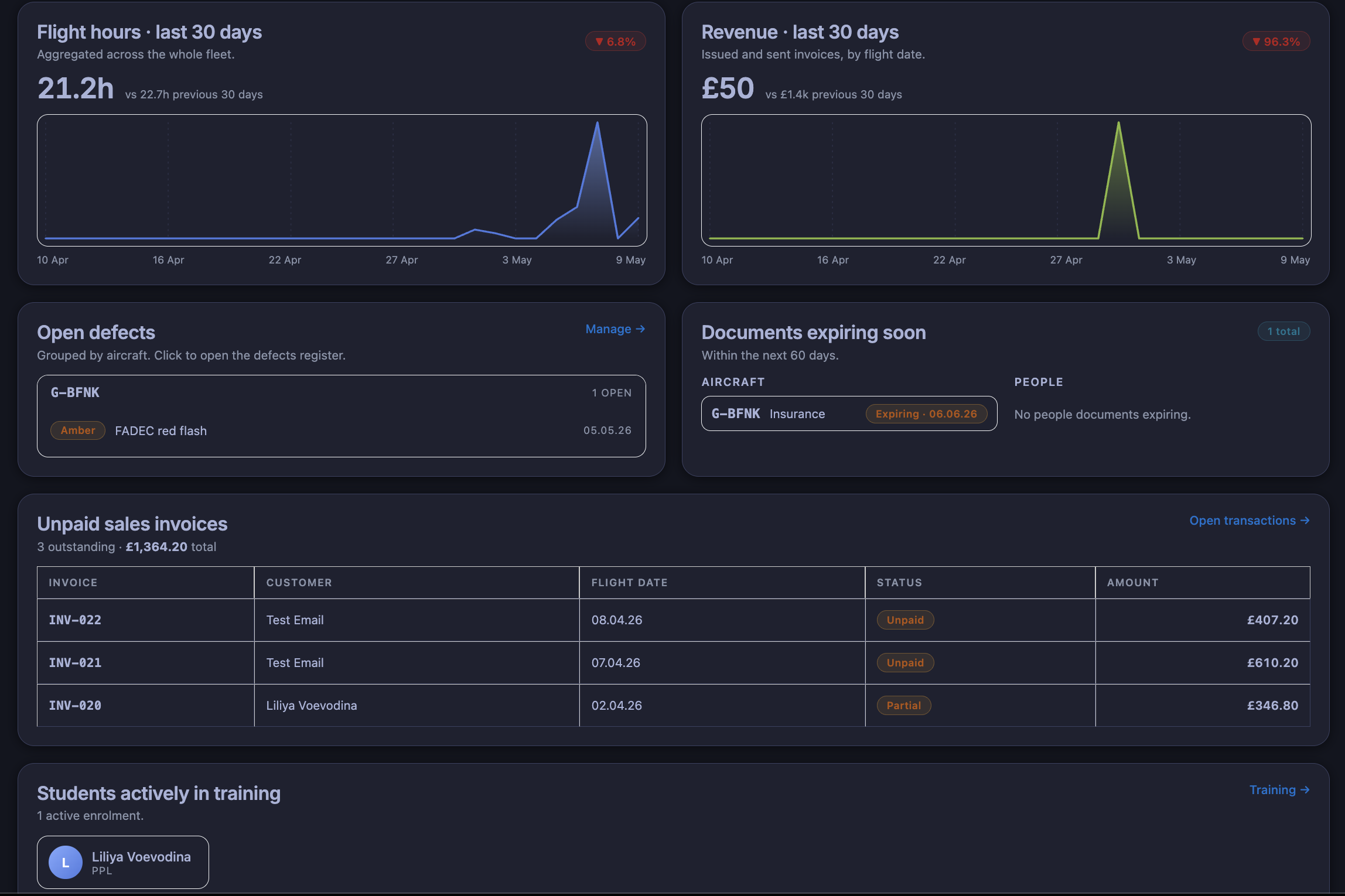
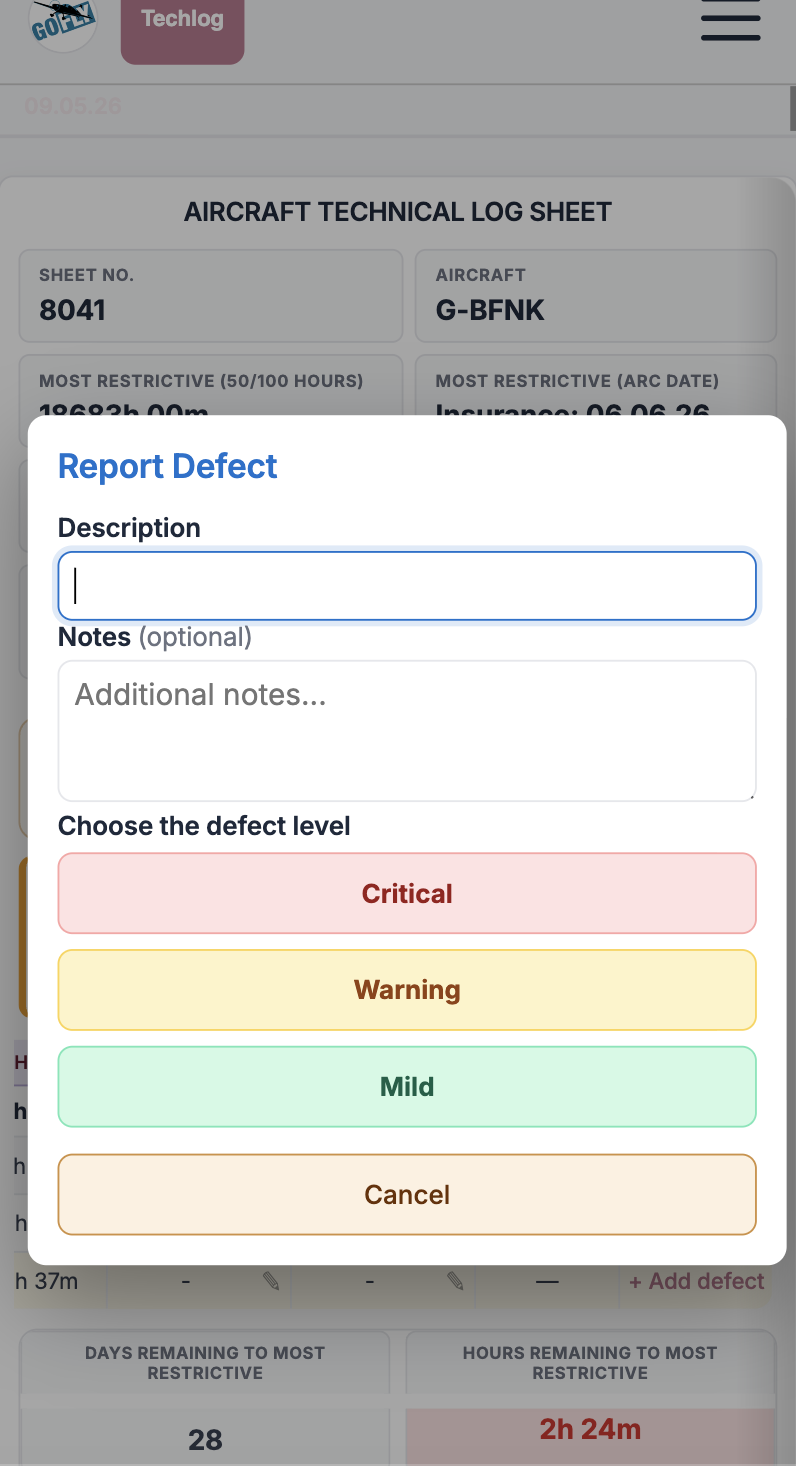
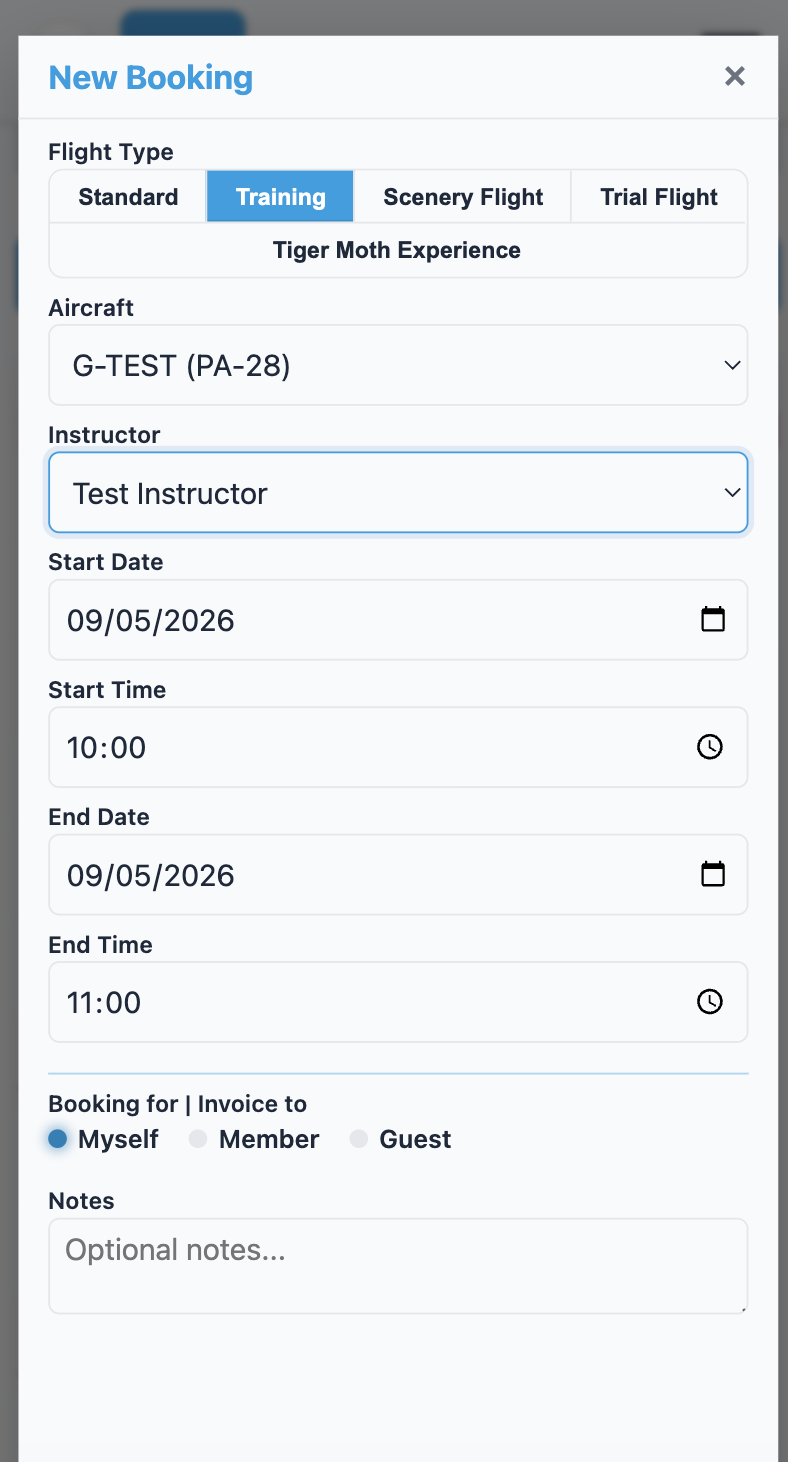
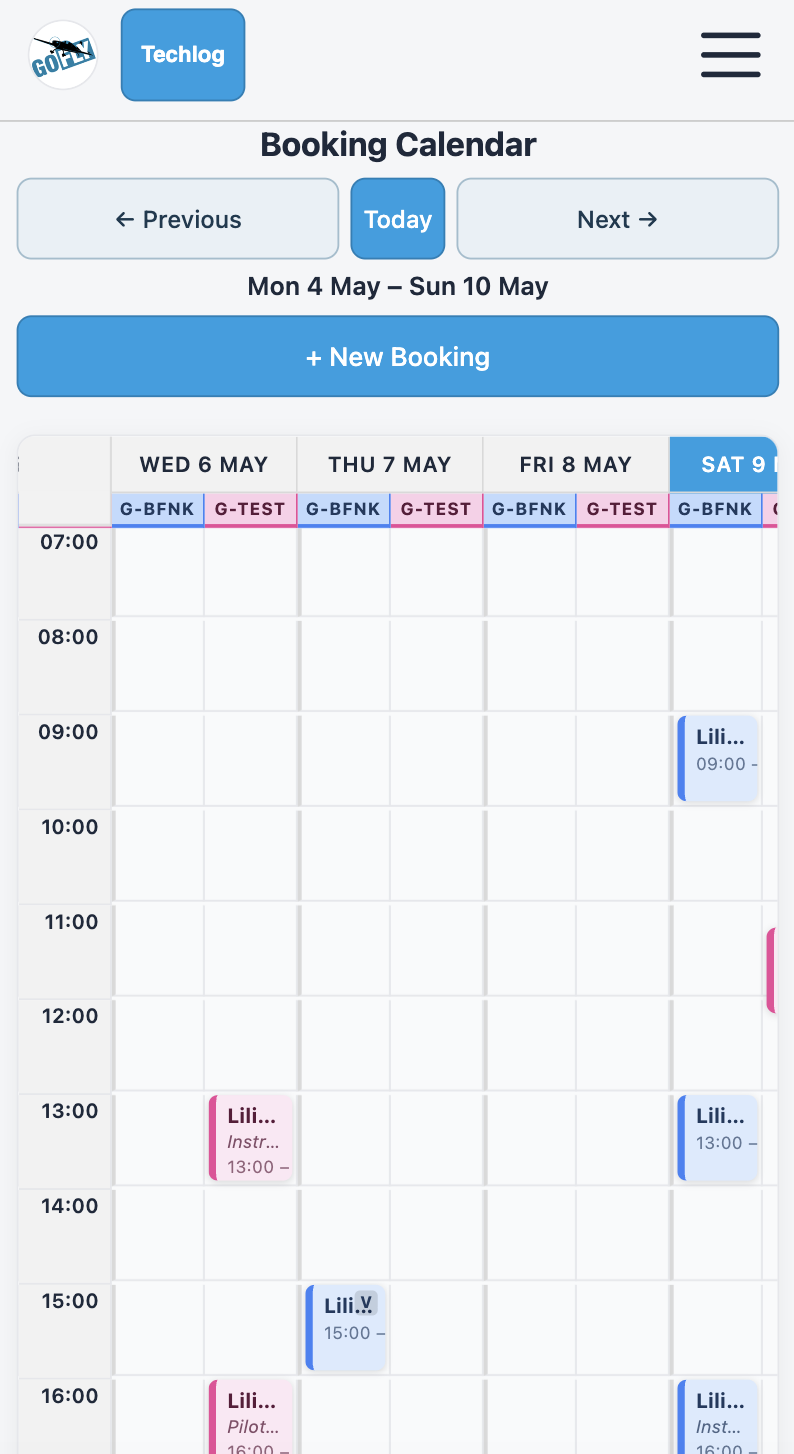
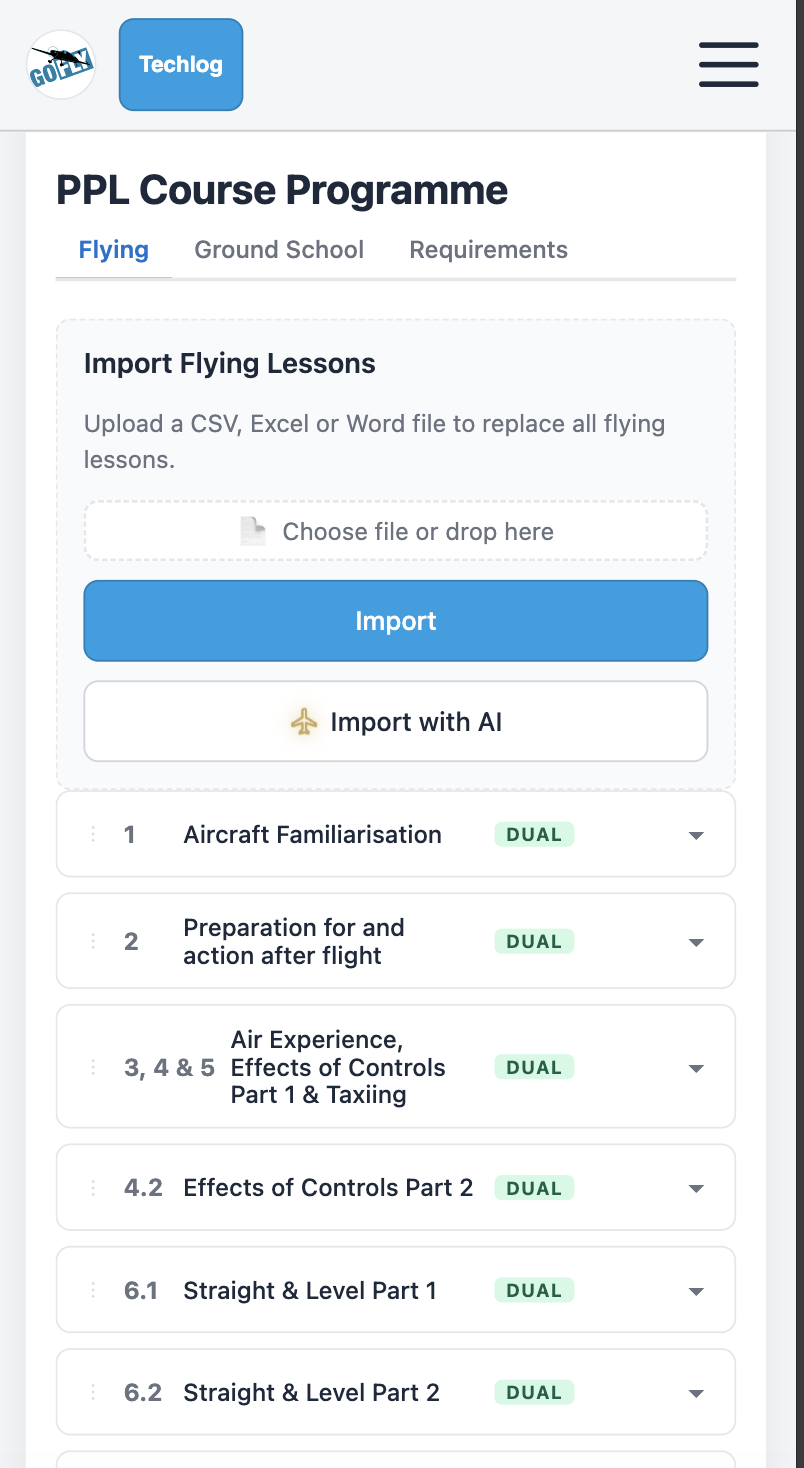
A FLOG Control Panel views.

Real screenshots from the live platform - tech log, fleet, training, invoices, reports.

Desktop · Light theme
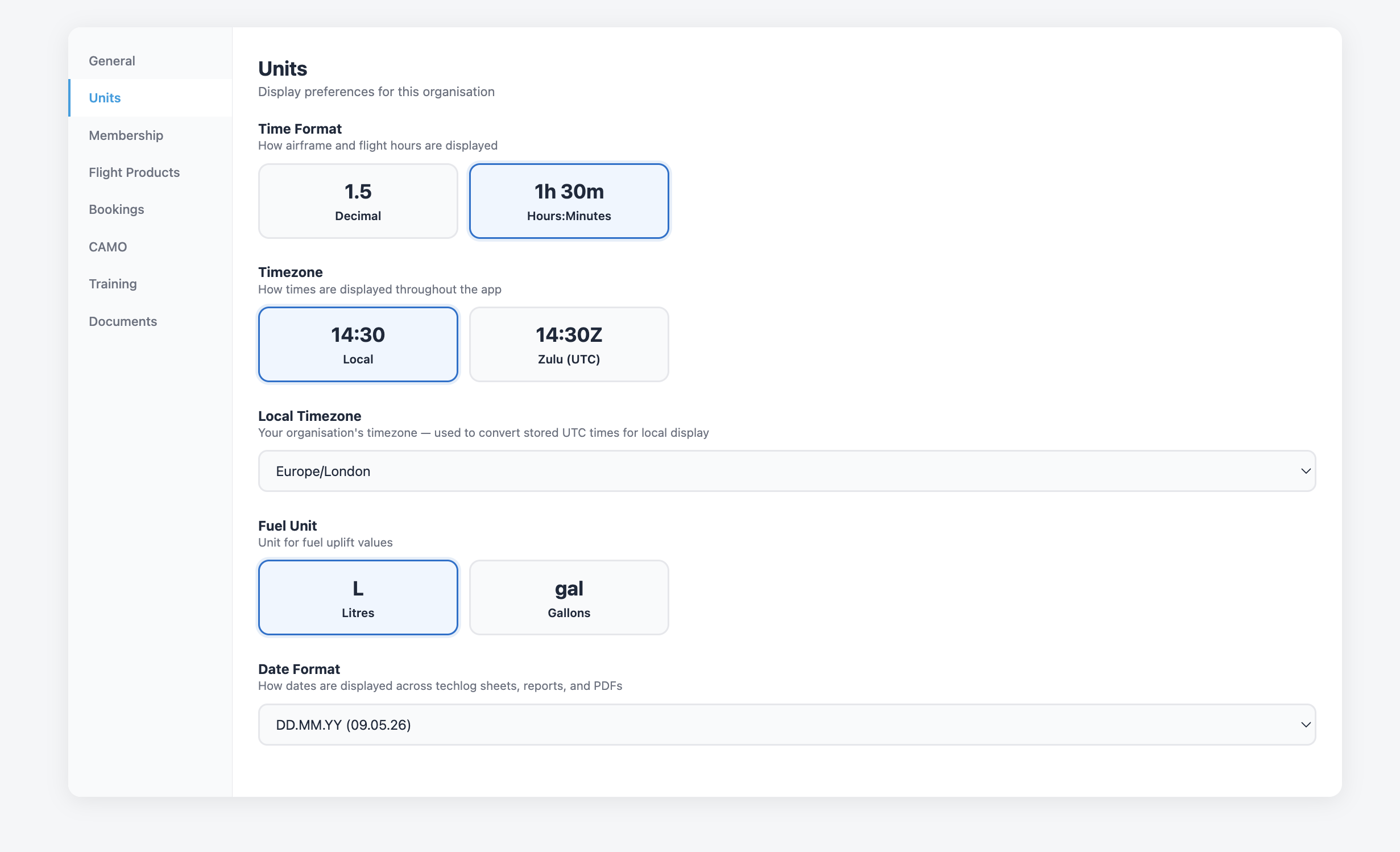
A FLOG Control Panel — light theme screenshot

Desktop · Dark theme
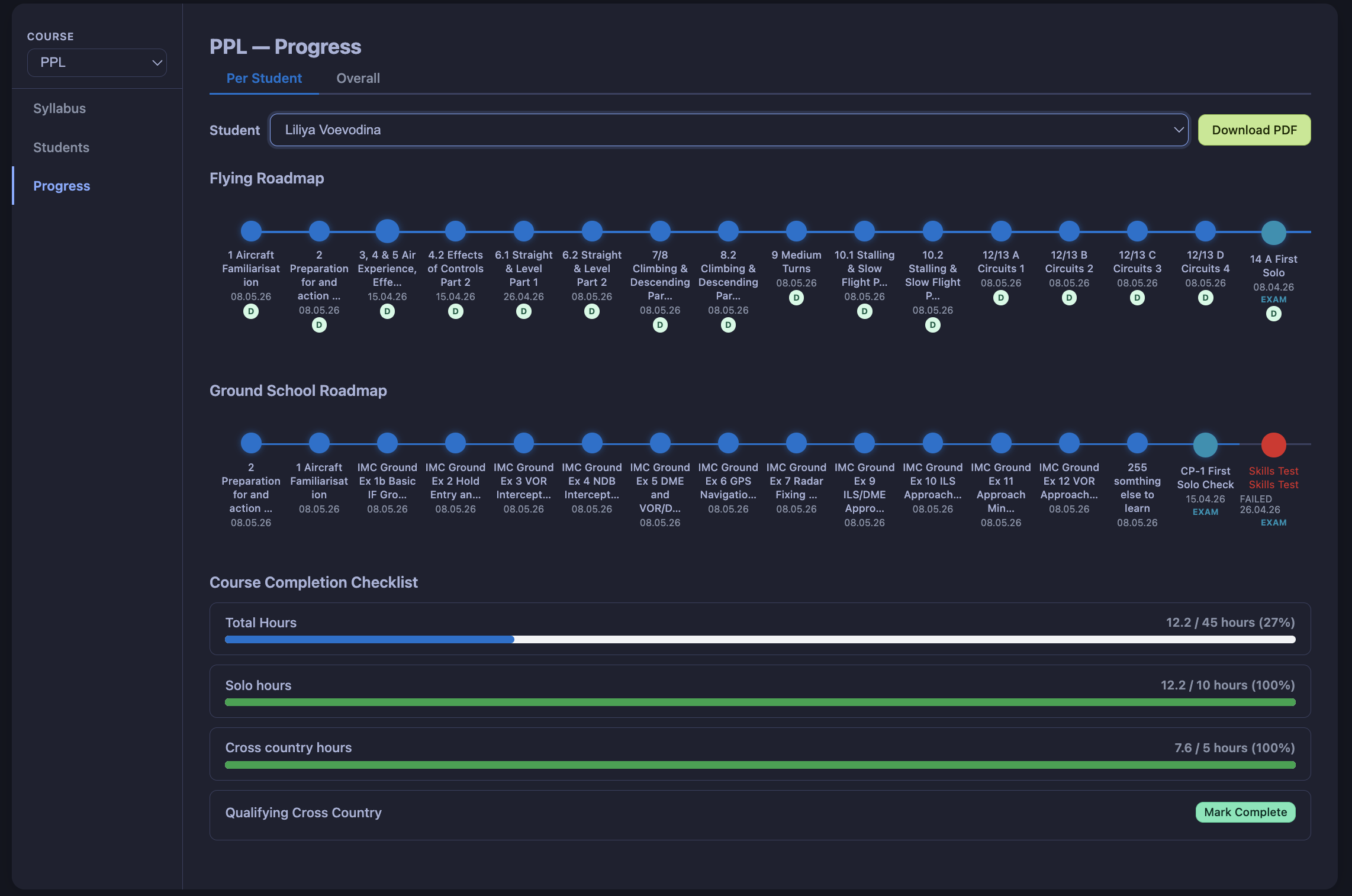
A FLOG Control Panel — dark theme screenshot

Mobile

A FLOG Control Panel — mobile screenshot
Custom modules

Need something specific? We’ll build it.

Most aviation software gives you a fixed set of features and expects you to work around them. If the thing you need isn’t there, tell us. We write it.

1

Tell us what you need

A report, a workflow, an integration, something quirky about your ops. Five minutes is usually enough.

2

We write it

Days, not quarters. You see early drafts and steer them before anything is final.

3

It stays in your account

Free during Beta. No tier upgrades, no lock-in, no surprise pricing later.

Or come find us at the booth.
How the data moves

Every flight follows the same path. Captured on board, processed on the platform, shown to the people who need it.

Onboard logger

Android app or CloudBase GA tracker records the flight on board. A FLOG App detects the power, engine starts, take off and landing and collects samples every 2 seconds.

Secure sync

Samples upload to the backend once you have signal. With AFLOG app, Control Panels shows live status and position of the aircraft on each sample.

Control Panel

Flight lands in the right account, attached to aircraft and crew.

Reports

Records, utilisation, compliance and billing in one place.

Come find us

Say hello at the booth.

Drop by our stand to see a live aircraft sync, or book a 30-minute walkthrough whenever suits you. We’ll show you how it would work for your operation.

Back to top
Visit us Private Flyer
May 15th - May 16 2026 Wycombe Air Park
Email liliya@goskydive.com
What you’ll see Live aircraft sync, dashboard walkthrough, operator Q&A.